1
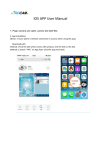
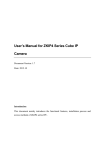
3.5.1 Wifi Setting
Click “Done”to store and enable WIFI settings,
camera will reboot automatically,you can unplug
the LAN cable and use WIFI.
3.5.3 Time Setting
Displays the actual
time of the camera.
Click here to scan the “Wireless
Access Points”around you.
Select the TimeZone.
Click to access WIFI settings.
Enter Wifi password.Then click
Join button.
Click to access Time settings.
NTP Time values settings,
camera will get the time
value from the server
once settings are done.
Sync the camera's time
to your phone.
Wireless Acces Point
displayed,select your
target network,input
it's password.
(if PW is required)
3.5.2 User Setting
Click “Done” to store and enable all settings.
3.5.4 FTP Setting
Input FTP Server address.
Input FTP port.
Click to access User settings.
Input FTP user name.
Input FTP password.
Click to access User settings.
Setting upload Interval.
You can change all user name
and passwords except for
the administrator
09
10