1
Fast T-Jet® 3 User
’
sManual
registration issues and ruined prints. Please note that this warning is not referring
to print resolution i.e. 360, 720, or 1440 dpi. Print resolutions can be mixed and
matched as needed. If you are not sure how different print modes work together,
do a test print before doing a production run.
Note: For more information on print modes, refer back to chapter 5 - A Word
about Resolutions, Speed and Quality.
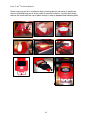
2. Pretreat the shirt and load it in the printer.
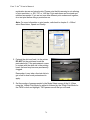
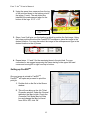
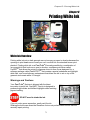
DO NOT let the print head touch the
pretreated shirt. If the pretreatment comes
in contact with the white ink in the printing
head, the head may become permanently
clogged.
Remember, it may take a few test shirts to
get a feel for how much pretreatment to
apply.
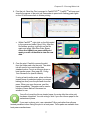
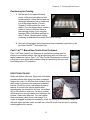
3. Set the number of passes needed in the Mode Select screen of the UI. When
using the 1440dpi Print Mode for white ink followed by the 720dpi Print Mode for
the CMYK colors and highlight, TWO passes are all that you will need.
76