1
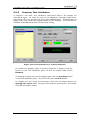
ControlMatrix User’s Guide - ControlMatrix Console 6.1 Introduction ControlMatrix Console is the user interface for day-to-day operation of the system. ControlMatrix Console is used to: • • • • • • • Change the function of PCU paging station page codes Allocate background sources to paging zones Adjust background and paging audio levels Create user input assignments to a group of paging zones Schedule recorded announcement, background allocation and input assignment events Manage recorded announcement .WAV files and associate text with them Assess the operational state of the system via the alarm pane and system log 6.1.1 To start Console ControlMatrix Console is accessible either from the desktop of the Q-Host graphical user interface or via the ControlMatrix Windows Client from a networked PC running Microsoft Windows. To start Console from the Q-Host, log in at the graphical prompt using the DefaultUser user name and password. Locate the Console icon on the ControlMatrix toolbar and click once. To start Console from a PC running Microsoft Windows via the ControlMatrix Windows Client, double–click on the Console icon, and then enter the DefaultUser user name and password. Creative Audio, V3.01, July 2003 Page 71