1
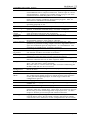
ControlMatrix User’s Guide - FAQs 11.5 Networking – FAQs Q1. How do I know I have correctly configured multiple network devices to be on the same IP Subnet? A1. Both the IP address and the Subnet Mask are 4x 8 bit binary numbers represented in decimal form. When a computer receives a packet from a network, part of that packet is the IP header and this is checked against the computer’s own IP address by testing the bits set by the Subnet Mask. If the mask bit is 1, the addresses must match. If the mask bit is 0 it is not tested. Only packets that pass this matching test will be recognised by the computer. An example will illustrate the point. For this example assume the PC’s IP address is 192.168.10.5 and initially the subnet mask is 255.255.255.0 (‘x’ represents a “don’t care” or “doesn’t matter” condition and leading zeros have been retained in the decimal numbers.) IP address 192.168.010.005 Subnet mask 255.255.255.000 Matching subnet = 11000000.10101000.00001010.00000101 = 11111111.11111111.11111111.00000000 = 11000000.10101000.00001010.xxxxxxxx For this case, any computer with an IP address of 192.168.10.xxx (i.e. 192.168.10.0 through to 192.168.10.255) shares the Subnet. Thus 256 computers may exist on this Subnet. This is due to the fact that the eight binary bits marked x in the Matching Subnet line are not tested. In decimal, these 8 binary bits represent 256 – the number of computers that may share the Subnet. If the Subnet Mask is now restricted to 255.255.255.248, the above will change to… IP address 192.168.010.005 Subnet mask 255.255.255.248 Matching subnet = 11000000.10101000.00001010.00000101 = 11111111.11111111.11111111.11111000 = 11000000.10101000.00001010.00000xxx With this restriction, only three bits on the Matching Subnet line are not tested. The decimal equivalent of three binary bits is eight, so only eight computers can exist on this subnet and these computers can have IP addresses in the range 192.168.10.0 to 192.168.10.7 (each of these correspond to one of the ‘x’ states in the Matching Subnet line). Once the actual IP address and subnet mask are known, the range of IP addresses that the computer will recognise can be determined and hence it is possible to determine if two computers are on the same Subnet. Creative Audio, V3.01, July 2003 Page 176