1
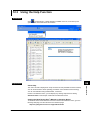
12.3 Using the Help Function
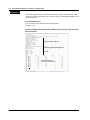
Rename the downloaded user’s manual and alteration notice as indicated below
according to the product that you are using, and copy (overwrite) the files in the software
installation folder that you specified when you carried out the steps on page 2-8. You will
be able to view the most recent operating instructions by selecting the user’s manual or
alteration notice from the Help menu.
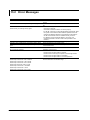
Product
User’s Manual File Name
Alteration Notice File Name
WT3000
IM761922-07E.pdf
Alterations-07E.pdf
Note
•
•
12-4
You can download Adobe Reader from Adobe System’s Web page.
The most recent users manual and alteration notice that you can download from
YOKOGAWA’s Web page correspond to the most recent version of this software program.
Update the software program as necessary. The program for updating the software can be
downloaded from YOKOGAWA’s Web page above.
IM 761922-07E