1
Chapter 1
1.1
Product Overrview
Explanation of Functions
1
This software can be used with YOKOGAWA’s measurement instruments listed below.
This user’s manual (IM761922-07E) describes the case when this software is used in
combination with the WT3000. For information about the handling precautions, functions,
and operating procedures of the WT3000 (hereinafter referred to as the WT), see the
respective manuals.
Model
WT3000
760301, 760302, 760303, and 760304
2
3
Applicable Measurement Instruments
Product
Product Overrview
This software application (761922) measures the voltage fluctuation and flicker of
electrical equipment according to the IEC Standard (see section 1.3 for an overview) and
indicates/saves the results of judgments made according to the standard.
4
5
Applicable Standard
6
Setting Up Test Schedule Menus
7
For the applicable standards, see section 1.3.
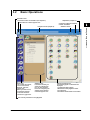
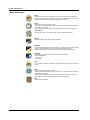
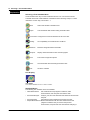
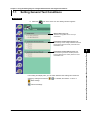
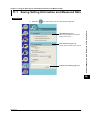
You can arrange the following steps as you like to create custom test schedule menus.
Start:
Select and edit test schedule menus.
Open:
Load measured data and WT setting information files.
8
9
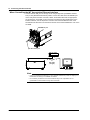
Connection: Configure the connection between the PC and a WT.
10
Setting:
Set compatibility and measurement conditions.
Measure:
Measure voltage fluctuation and flicker.
Analysis:
Display measured results as bar and trend graphs.
Print:
Print screen images and reports.
Save:
Save measured data and setting information files.
Exit:
Close the software.
11
12
13
14
Index
IM 761922-07E
1-1