1
¾
operate correctly if the installation is incomplete.
Read the “Troubleshooting” Section if the installation cancels itself during the
procedure, if the installation did not proceed as described, or if you feel that the
driver are not properly installed.
Installing the USB Driver:
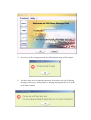
For some Windows system, users should log on as the Administrator before
installation. Once you have attached the U-Storage to the computer. The OS will find
the appropriate driver or the “Add New Hardware Wizard” dialog will appear after a
moment. You can do the installation of the Driver manually. Or just find out the
“Setup.exe” program to do the driver installation.
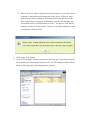
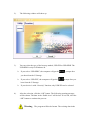
During the installation procedure, if the “Digital Signature Not Found” message
displays, just click the [Yes] button in the showing window.
Using U-Storage.exe Program the First Time:
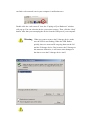
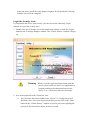
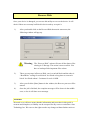
Warning Due to the U-Storage.exe can only handle one U-Storage
device at the same time. If you will not use the function of
the U-Storage.exe, like “Resize”, “Change Password”, or
“Log In”, etc., you can insert more than two U-Storage
devices. If you want to use the function of the program,
remove all other U-Storage device. Otherwise, the
U-Storage.exe may not perform properly or even cause
data loss.
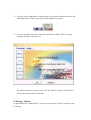
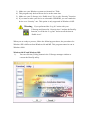
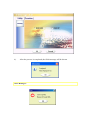
After you install the software and driver correctly, the U-Storage icon will appear at
the notification area automatically.
Or
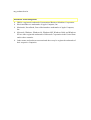
The display will depend on the status of the device.