1
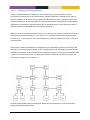
Note! if all power is lacking on all feeds, the unit is powerless and cannot trigger alarms via
SNMP traps or remote logging. To detect such a situation remotely, the operator could poll
the unit (e.g., by pinging the unit on a regular interval). The drawback is that it is difficult to
distinguish problems in the intermediate network from problems in the monitored device.
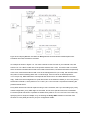
An alternative is to use out-of-band signalling, e.g., via GPRS equipment connected to digitalout to get an alarm notification instantly if a device goes down.
•
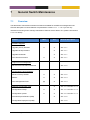
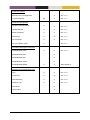
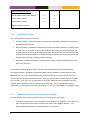
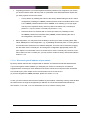
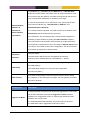
Link alarm: It is possible to configure link alarm triggers to react when a link goes
down (and up).
•
Digital-In: Alarms can be triggered depending on the presence of input voltage/current on
the Digital-In pins of the Digital I/O connector.
•
Temperature sensor alarms: Temperature alarm triggers can be configured to react when
the temperature rises above (or falls below) some defined threshold.
•
FRNT status: The FRNT ring status trigger will react when an FRNT ring is broken (bus mode)
1
or healed (ring mode) .
•
Hardware failure: A Hardware alarms trigger notifies that the unit has detected a hardware
failure (typically if an unsupported SFP is inserted).
•
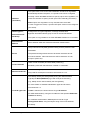
SHDSL/xDSL SNR Margin: On devices with SHDSL/xDSL ports, alarms can be triggered
2
when the SNR margin falls below some configured threshold .
•
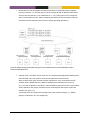
Link Fault Forward (LFF): On devices with SHDSL ports, alarms can be triggered when
the remote SHDSL switch indicates it has link down on its Ethernet port. That is, this feature
can be used in topologies where an Ethernet is extended over an SHDSL link, and where
the remote SHDSL switch (e.g., a DDW-120) is able to signal that the Ethernet link is down on
its side.
•
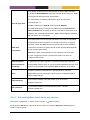
Network Connectivity (Ping): It is possible to have a trigger to monitor network connectivity by
using the ping command to a specific host. The remote node is considered unreachable if
a configurable number of pings are lost, and considered reachable if the same numbers of
pings are successfully received.
Note! Make sure the remote host responds to ICMP ping. A typical behaviour for many hosts
is that ICMP ping is blocked in the host’s firewall.
1
Only an FRNT focal point can determine the ring status with certainty.
2
N/A in MES series.
MES-OS Management Guide
Alarm handling, Front panel LEDs and Digital I/O • 294