1
o
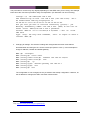
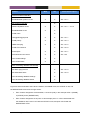
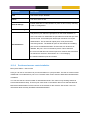
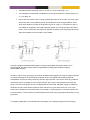
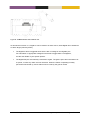
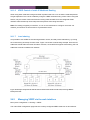
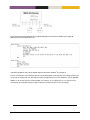
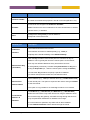
Select VIP in correct IP subnet: The VIP address should be in the same IP subnet as
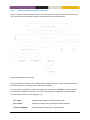
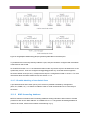
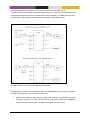
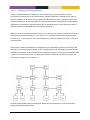
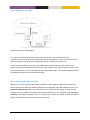
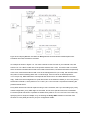
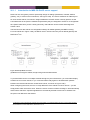
the regular IP address assigned to the interface (e.g., the VIP address in Figure 121b
is 192.168.1.3, which is in the same subnet as R1’s and R2’s IP addresses on that
subnet).
o
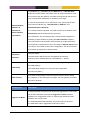
Select VIP not ”owned” by any router: Although it is possible to use an address
assigned to (i.e., owned by) a router as the VIP address, it is recommended that
a separate IP address is used.
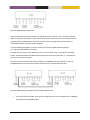
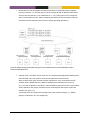
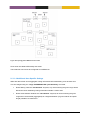
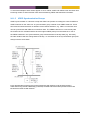
Consider the example in Figure 121b): According to the recommendation, the chosen
VIP address (”192.168.1.3”) is separate from the addresses assigned to R1
(”192.168.1.1”) and R2 (”192.168.1.2”).
Although discouraged, it would have been possible to chose ”192.168.1.1” as VIP
address. Being the owner of the address, R1 must in that case be configured with
priority 255, with dynamic priority disabled. More information on VRRP priority is found
in item 5 below.
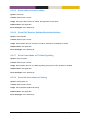
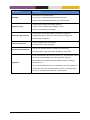
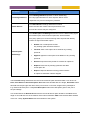
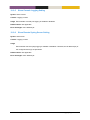
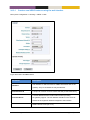
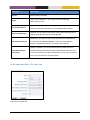
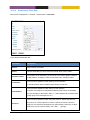
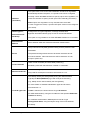
4. Advertisement interval: In VRRP, the master will announce its presence by sending VRRP
Advertisements on a certain interval. For VRRPv2 the interval can be configured in range
1-255 seconds. VRRPv3 allows sub-second intervals (in steps of 100 ms) in range 0.1-40
seconds. All VRRP routers associated with the same VRID must use the same VRRP version
(see section 24.1.3), and must have the same advertisement interval setting.
A low VRRP advertisement interval gives faster fail-over (the time to detect that a master is
down is roughly 3 times the advertisement interval).
Default advertisement interval: 1 (second)
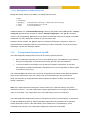
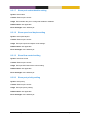
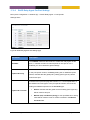
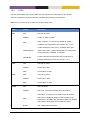
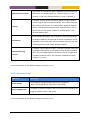
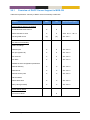
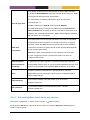
5. VRRP Priority: The VRRP priority parameter is used to define which router should become
master of the VIP address when multiple routers are available. (If two routers with the same
priority transitions to master state, the router with the highest IP address will win the election.)
The priority can be configured in range 1-255, where the value ”255” should be used if (and
only if) the router is also the owner of the VIP address (see the Note in item 3 above). Default
priority: 100
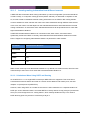
MES-OS supports dynamic VRRP priority. E.g., if the master router loses its Internet
connection it should lower its priority dynamically (or even decline to be master), this to allow
for a backup router to take over immediately. For example, if R1 in Figure 121b would lose its
upstream connection, it could lower its priority to 30, whereby R2 would could take over if
preemption is enabled.
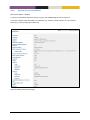
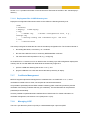
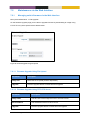
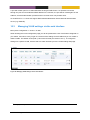
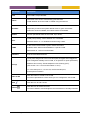
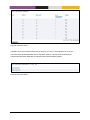
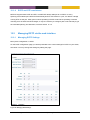
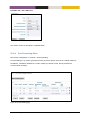
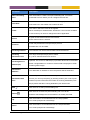
In MES-OS, dynamic VRRP priority is configured by mapping the status of an event trigger,
typically a ping trigger (see section 18.1) to a priority adjustment value.
If a router is the owner of the VIP, it should be configured with priority ”255”, with dynamic
priority disabled.
MES-OS Management Guide
Virtual Router Redundancy (VRRP) • 416