1
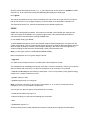
laser printer number
0
1
2
11
location
Computer support office, R3.
Coffee room, R3.
DAC, R55.
HET cabin
For example, to print on the HET laser printer use
>>j post11
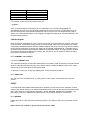
Once you have plotted one workspace to your satisfaction, the command file g:precis will
automatically plot with error bars all eight workspaces and print them all on a single sheet of A4 on
the HET laser printer. Precis divides workspaces 6 and 7 by five. This is an empirical figure which
allows you to estimate the effects of non-magnetic background scattering on the data collected in the
forward scattering banks.
Colour Output Data can also be displayed as a colour contour S(Q,w) plot using the PRSPLOT package, which has
it's own manual. It also allows energy and Q cuts to be plotted, rather than the constant cuts usually
viewed when HOMERed data is read into GENIE. Mapping files which use finer rings than the default
file are usually required for a contour plot. these can be created using MAPPER. To prepare data to
be plotted using PRSPLOT6 it should be HOMERed as described above, but with the /ASCII qualifier
to produce a file named ss:HET0<run number>.dat. This file can be converted for PRSPOT6 using
the program CONVERT as follows.
HET>CONVERT <run number>
e.g. HET>CONVERT 2136
This operation produces an output file called HET0<run number>.CON, so the above command would
produce a file called HET02136.CON, which will be written to SCRATCH$DISK, (SS): which means
that the full file name would be SS:HET02136.CON.
To produce a colour plot, simply type PRSPLOT6, so the command line will be:HET>PRSPLOT6
You may now refer to "PRSPLOT6 - a quick guide to colour output" which follows after the next
section.
PARIS A command file called PARIS.COM exists which will allow you to produce colour data plots, without
allowing any default settings to be altered. PARIS will prompt you for all the relevant information at the
start, and it will then run the following programs :- DIAG, MAPPER, HOMER and CONVERT. You
then simply need to run PRSPLOT6 to plot the data. The complete sequence is as follows :HET>@PARIS
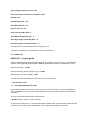
PARIS will now run, and produce the following prompts. The values in italics are an example of user
input.
Enter current run number or crpt to look at current run : 4822