1
o
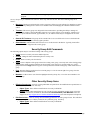
Groups: Group whose permissions are to be viewed. For more information on this, please refer to the
STISETS User Manual, available for download under Documentation | User Manuals on the STI
Support site at http://support.sti-k12.com/documentation/default.asp (user name and password required).
Building Employee File
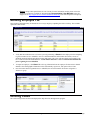
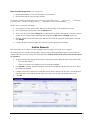
New employee information may be entered one of two ways. Begin by expanding the Utilities Desktop. The available
options are shown below.
•
Verify that the teacher does not exist in the system by performing a Search for the employee before attempting
to grant a teacher access to STISETS. Once it is determined that the staff member does not have access to
STISETS, uncheck Include Only SETS Teachers and Search. The screen will then display staff members who
have a staff record in the INOW database. A staff member must have a User Account in InformationNOW
prior to gaining access to STISETS.
•
To import an employee, click Grant. This will copy information from the employee file that exists in INOW
database. Since demographic information will be automatically copied over, this option will save time.
•
Once the teacher has been granted access to STISETS, the new staff member will need to assigned to a
STISetsuser group
Defining Codes
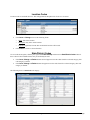
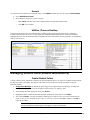
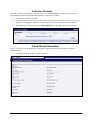
The Code Desktop houses all the codes displayed in drop-down lists throughout the program.
Quick Reference Guide
STI_0620121322
STISETS MO – Utilities • 3