1
Let’s now move another unit but this time, in Travel Mode. (Travel Mode is a special state
that usually gives a unit a larger movement allowance particularly when using roads). Click
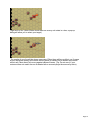
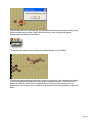
the hex as shown and select the Italian infantry unit at the top of the list in the Hex Info
Area. Note its highlighted movement span on the map.
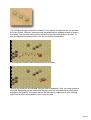
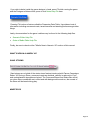
Click the Change Travel Mode Button on the Toolbar and you’ll see a number of things
happen. A white line will appear at the bottom of the unit’s icon, a "T" will appear next to
its movement points in its Unit Box and its highlighted movement span will slightly grow.
This unit is now in Travel Mode. (Important Note: When in Travel Mode, offensive and
defensive strengths are greatly reduced).
Page 7