1
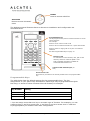
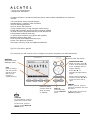
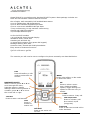
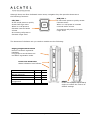
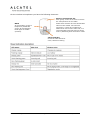
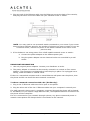
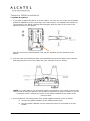
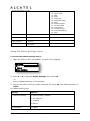
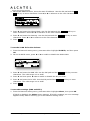
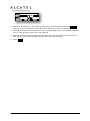
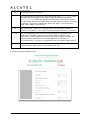
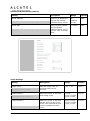
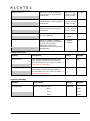
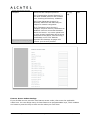
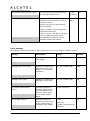
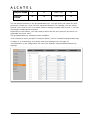
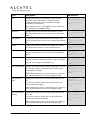
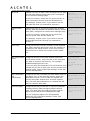
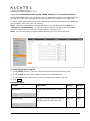
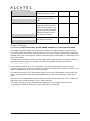
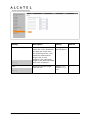
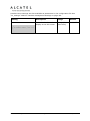
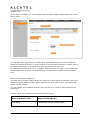
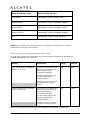
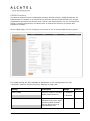
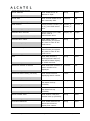
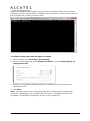
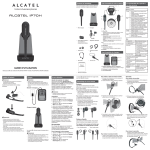
Setting up IP300/IP700G with IP70H accessory DECT headset Temporis IP300 and IP700G models embed a DECT base which allows you to use compatible cordless accessories. You can register and use up to one IP70H accessory headset and one IP15 accessory handset. Note MMI options are the same for IP300 and IP700G despite the different display size. Thus pictures show IP300 but can be used as reference for IP700G as well. Register a DECT headset 1. When the phone is idle, press MENU. 2. On the Main menu, press or to highlight 3.User Settings, then press OK. The User Settings menu appears. 3. On the User settings menu, press or to highlight 5.DECT headset, then press OK. 4. Remove and replace the cordless headset from its charging base. 5. With Register highlighted, press OK on the deskset. Registering…. appears while the deskset searches for the headset When registration is complete, Registration succeeded will be displayed and ON/OFF light on the cordless headset turns solid blue. Note: Registration can be terminated by pressing CANCEL on the deskset. If the cordless headset is registered to another phone, it must be deregistered first. See “Deregistering a DECT headset”. Same applies when the deskset already has one headset registered. It has to be deregistered to be replaced with a new one. Deregister a DECT headset 1. When the phone is idle, press MENU. 2. On the Main menu, press or to highlight 3.User Settings, then press OK. The User Settings menu appears. 3. On the User settings menu, press or to highlight 5.DECT headset, then press OK. 4. With Deregister highlighted, press OK on the deskset. The deskset screen displays DECT headset is deregistered. The headset ON/OFF light flashes twice every five seconds to indicate it is not registered. Business IP Range Administration and Provisioning Guide ed 1.0 43/175