1
SpamCombat Overview
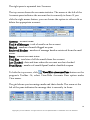
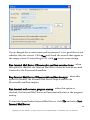
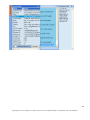
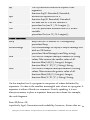
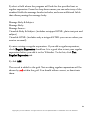
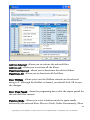
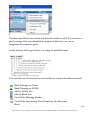
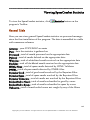
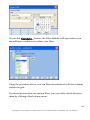
Program toolbar:
Start - start retrieving emails from the mail server
Pause - pause the program. When SpamCombat is paused, you can
edit the filters as you like. When you re-start the program, it will
continue processing emails using the updated filters.
Stop - stop retrieving emails from the mail server
Delete - delete selected emails from the mail server
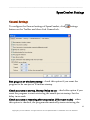
Settings - configure SpamCombat settings
Launch Email Client - open your email client
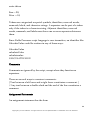
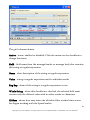
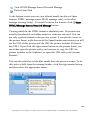
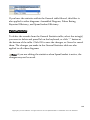
Clear MessageID Cache - remove the messages ID from the
program's cache. To avoid processing the same email twice, the
program saves the ID of processed messages to its internal cache. To
reprocess the same emails, clear the message cache before you click
Start button
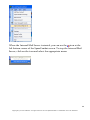
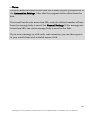
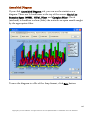
View/Hide Left Pane - view/hide the program's left pane
View/Hide Top Accounts Pane - view/hide the accounts statistics
Toggle Sound On/Off - switch on/off a sound notification when new
good or unknown messages arrive
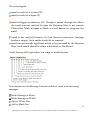
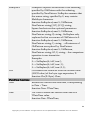
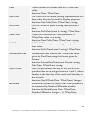
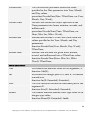
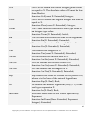
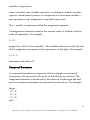
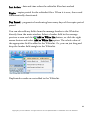
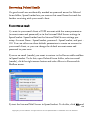
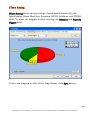
Filters - add and edit the filters: Complex Filters, Whitelist, Blacklist,
HTML Validator, DNSBL and Bayesian filter
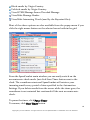
Statistics - view the SpamCombat statistics
Deleted Items - show deleted messages
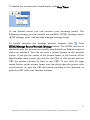
Help - bring up the SpamCombat guide
11
Copyright © G-Lock Software. All rights reserved. G-Lock SpamCombat is a trademark of G-Lock Software.