1
_____________________________________________________________
Viewing SpamCombat Statistics
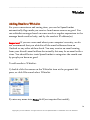
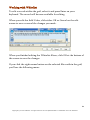
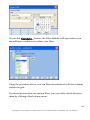
To view the SpamCombat statistics, click
program's Toolbar.
Statistics button on the
General Table
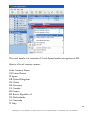
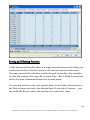
Here you can view general SpamCombat statistics on processed messages
since the first installation of the program. The data is assembled in a table
with numerous columns:
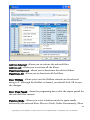
Account - your POP3/IMAP accounts
Date - date the statistics is gathered on
Processed - total of emails processed on the appropriate date
Deleted - total of emails deleted on the appropriate date
Whitelist - total of whitelisted emails received on the appropriate date
Blacklist - total of blacklisted emails received on the appropriate date
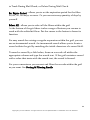
HTML Filter - total of spam emails detected by HTML Validator
DNSBL - total of spam emails detected by DNSBL filter
Bayesian Good - total of good emails resolved by the Bayesian Filter
Bayesian Spam - total of spam emails resolved by the Bayesian Filter
Bayesian Unknown - total of emails not resolved by the Bayesian Filter
Reclassified to Good - total of emails reclassified to good by a user
Reclassified to Spam - total of emails reclassified to spam by a user
Unknown - total of emails which were not caught by any of the filters
143
Copyright © G-Lock Software. All rights reserved. G-Lock SpamCombat is a trademark of G-Lock Software.