1
1.1 Overview of Universal Viewer
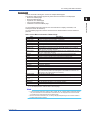
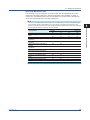
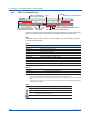
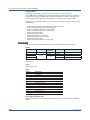
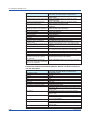
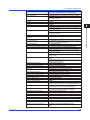
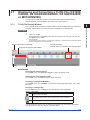
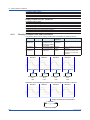
Toolbar continued
Button
View—Alarm
Menu
Button
Y Axis—Clip
Menu
View—Legend
Window—Graph
Window—Sheet
Signature—Apply Signature
Window—Circular
File—Link Previous File
Window—Alarm/Mark
File—Link All Files
Window—Control
File—Link Next File
Window—Statistics
File—Print
Help—About
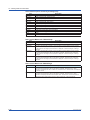
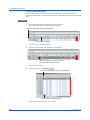
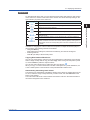
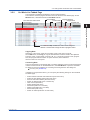
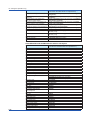
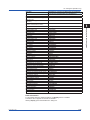
Search Bar
Search Mark
Search Alarm
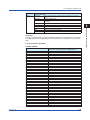
Button
Menu
Button
Menu
Edit—Search Alarm—Right move cursor A
Edit—Search Mark—Right move cursor A
Edit—Search Alarm—Left move cursor A
Edit—Search Mark—Left move cursor A
Edit—Search Alarm—Right move cursor B
Edit—Search Mark—Right move cursor B
Edit—Search Alarm—Left move cursor B
Edit—Search Mark—Left move cursor B
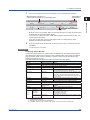
When you move the cursor over a toolbar or search bar button, a tooltip will appear.
You can move, show, and hide bars as you would other standard Windows toolbars.
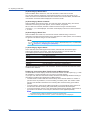
If, on the View menu, you click Tool Bar, A/M Search Bar, or Status Bar and turn on the
command, the corresponding bar appears.
If you turn off the command, the bar disappears.
1.1.3
1-6
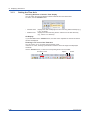
Installation and Version Updating
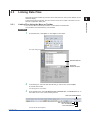
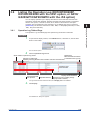
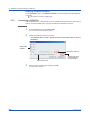
Download the latest installer from YOKOGAWA’s website to install and update the software.
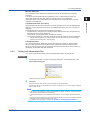
From the Help menu, you can view the software version information and access the link to
the website.
IM 04L61B01-01EN