1
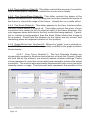
4. Under Step 1, select FIX DISTORTION from the right column, and GENERIC LENS from the left column.
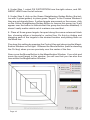
5. Under Step 2, click on the Green Straightening Guides Button (the button with 3 green guides) to place green “targets” in the Preview Window if
they are not already there. If yellow targets are present on the screen, click
on the Yellow Straightening Guides Button to remove this group (an X will
appear over the button to indicate that this group has become disabled). It
doesn’t really matter which set of markers are used first.
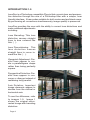
6. Place all three green targets far apart along the same outermost black
line, choosing either a horizontal or vertical line. Do this by clicking and
dragging each of the targets to the desired location and placing them on
the black line.
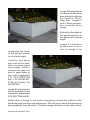
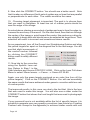
Fine tune this setting by pressing the Control Key and observing the Magnification Window on the right. Release the Mouse Button (before releasing
the Ctrl key) when you are precisely over the center of the line.
Now, move the Mouse Button to the Magnification Window. If you click and
move the small target in this window, you will see that you can also fine
tune within the Magnification Window.
Page 16