1
3 Programming with the HE programming software
4 Fundamentals for programming with the KC 3
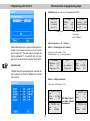
By pressing the cursor keys ← or → you get into the
menu for adjusting the parameters of the base unit,
and then to the
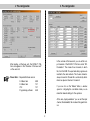
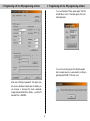
First of all you should push the button „Parameter
read“, to read out the already programmed state of
attenuation.
The next step is the correction of the attenuation in
0,5 dB – steps. To store the changed values press
„Parameter write“.
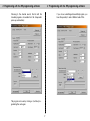
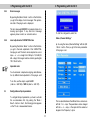
Programming of the specific parameters of the card
which consists of 4 lines. You can switch between
these lines with the ↑ and ↓ keys.
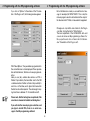
If you push the button „Restart cards“ in the window
„Details of the Plug-in card“, all Plug-in cards of the
base-unit will be restarted. This leads to a short-term
loss of vision. This is why you have to confirm the
restart.
Line 1:
type of card,
here X-DVB-T/PAL twin A/B Status OK
Line 2:
Choosing the input and (de-) activating
the ON-Screen-display
Line 3/4: RF – output parameters
The programming of the parameters is made via keypad or as stepwise change of pre-defined parameters
with the cursor ↑ or ↓.
4
4.1
Basics for the programming with the
KC 3
☞
Please note:
Input values must be complete!
4.2
Order of programming
1. Choose the Plug-in card (line 1)
2. Type in the output parameters of the
Plug-in card (line 3/4)
3. Adjust the connected TV-measurement device
on the programmed output frequency
4. Turn on the on-screen-display (line 2)
5. Type in the input parameters in the
on-screen-display
6. Switch off the on-screen-display (line 2)
Structure
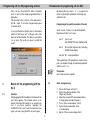
After plugging the KC 3 handheld on the base unit, the
start menu appears. The software version is displayed. Please give this number to our customer service if you have questions regarding the
X-DVB-T/PAL twin card. To see this menu later once
again, you have to plug the KC 3 out and in again.
9