1
(9)
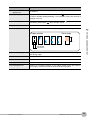
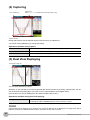
Item
Description
Waveform control
display area
Displays the mode when using the [SPAN/POSITION/TRACE] key to control
the waveform.
(10) Digital display area
Displays the input value of each channel. Use the
key to select the channel
you want to activate (enlarged display). The waveform of the active channel is
displayed at the top.
(11) Quick settings
Displays items available for easy operation. Use the
Quick setting area and the
key to change values.
(12) User information
Displays information about the currently selected user.
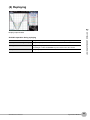
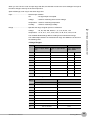
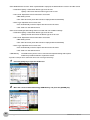
(13) Pen display
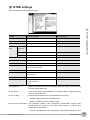
Displays the position of each channel signal, trigger and alarm range.
SETTINGS AND MEASUREMENT
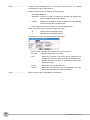
Rising
Falling
Stop position
Start position
2
Trigger position
key to activate the
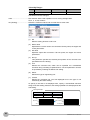
Alarm range
Win In
Win Out
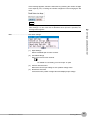
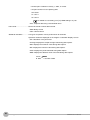
(14) File name display area Displays the name of the file used to capture data. Displays the replay file
name during replay.
(15) Lower limit scale
Displays the lower limit scale of the currently active channel.
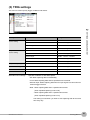
(16) Waveform display area Displays the waveform of the input signal.
(17) Upper limit scale
Displays the upper limit scale of the currently active channel.
(18) Data capture bar
Indicates the remaining capacity of the capture media during data capture.
During replay, indicates information about the displayed position.
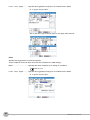
ZR-RX20 User’s Manual
Window names and functions
33