1
Monitor Configuration Panel
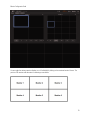
Monitor configuration panel
How do I get to the Monitor configuration panel? How do I change the monitor displays?
Read this section if: You need to access the Monitor configuration panel, or if you want to change what your monitors are
displaying, or if you want to manage monitor rotation programs.
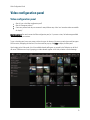
To get to the monitor panel, move your mouse to either the top or the bottom of the screen to make the control bar
appear. (See the section, Navigating the interface.) Once the control bar pops up, click Monitor to display the Monitor
panel.
Adding or removing video display from monitors
One of my monitors is on a desk/otherwise away from the rest of the monitors. How do I reserve one or more
monitors as my workstation while maintaining the video display on the remainder of the screens?
One of my monitors is on a desk/otherwise away from the rest of the monitors. How do I keep my mouse cursor
from appearing on my display screens?
I need all the monitors to display video because they are mounted together/grouped together.
Read this section if: You need to turn video display on or off some of your monitors or you need to restrict mouse
movement to only certain monitors.
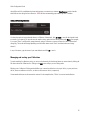
Click +/- on the control bar in the Monitor Panel.
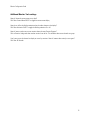
Toggle monitors on or off using ON/OFF toggles for each monitor. Setting a monitor to ON will have it display only video,
whereas setting it to OFF will turn video display off, but let you access Windows.
8