1
Interface Options
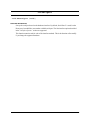
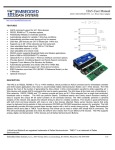
The Simple Sensor Application Kit provides for four different methods to interface the 1-Wire bus.
1. Direct interface — this interface connects three 1-Wire devices on the 1-Wire bus directly to the Rabbit
microprocessor serial port. The interface uses one serial port at 3.3 V CMOS levels to drive the 1-Wire
bus. (The default configuration is Serial Port C PC3.) The 1-Wire devices have to be located close to the
Rabbit microprocessor.
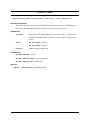
2. Discrete interface — this interface connects the 1-Wire bus to a high-current discrete driver circuit via
transistors Q1 and Q2 that is controlled by the Rabbit microprocessor serial port. The discrete interface
uses two serial port lines at CMOS levels to interface the transistor driver to the 1-Wire bus. (The
default configuration is Serial Port C PC2 and PC3.) Several 1-Wire devices may be located considerably farther away from the Rabbit microprocessor than in the previous option.
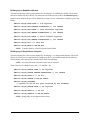
3. Bit-bang direct interface — this interface connects the 1-Wire bus directly to a Rabbit microprocessor I/O
port. The bit-bang interface for a RabbitCore module uses one parallel port line with an open-drain output — the default configuration is Parallel Port C bit 3, PC3. The bit-bang interface for a Rabbit singleboard computer uses two parallel port lines at CMOS levels. The transmit line is buffered to an opencollector/drain transistor output — the default configuration is Parallel Port A bit 1 (PA1) for transmit
and Parallel Port B bit 0 (PB0) for receive.
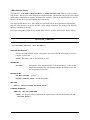
4. DS2480 line driver interface — the DS2480 line driver interface connects the 1-Wire bus to an integrated component driver that is controlled by the Rabbit microprocessor serial port. The line driver
interface uses two serial port lines at CMOS levels to control the transistor drive to the 1-Wire bus. (The
default configuration is Serial Port C PC2 and PC3.)
022-0141 Rev. B
2