1
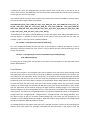
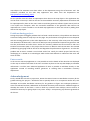
3. After adding the data it is possible to preview the data on a map using the “Layer preview”
option. To do that go to layer preview on the list of the lawyers find your layer and press on
OpenLayers to see it on the map or you can download KML format of the data to view it on
Google Earth.
Layer group:
This is a very useful feature that can help to combine different layers in the geoserver. Here you can
create a single layer by selecting multiple layers that already exist in the geoserver. The important
thing to know is that you can only combine different layers that are in the same workspace. It is not
possible to combine layers in different workspaces.
Services:
Data presentation in geoserver can be served to the web in three different types WCS, WFS and
WMS. Web coverage service (WCS) is the data type that provides available information in a specific
format that can be used in the scientific modeling. Web feature service (WFS) is a service that
renders data including feature geometry and its attributes. This type of data supports data query on
the web. This WFS service is available for vector data. Finally and most common data service that are
widely used is a web map service (WMS) which provides the data in map tiles. This service is typically
for raster data.
Tile catching:
As we discuss above geoserver provides raster data in the form of map tiles. When the user interact
with zooming or panning around the map server needs to generate the tiles. In case of large raster
data, the server takes a long time to render image into the web page which makes the user
inconvenient, to reduce this rendering time it is possible to catch the map tiles and store in geoserver
before the user interact with the map. By doing this server does not have to generate tiles instead it
will use the already generated tiles that are stored in “Tiles Layer” section.
Map projections:
It is possible to use different projections for different countries. This feature will help the user to
display his data on specific projection. It is possible to create EPSG projections and use that
projection when tiling the layer.