1
245
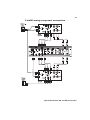
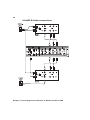
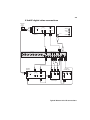
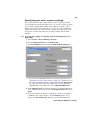
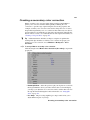
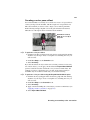
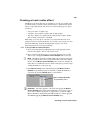
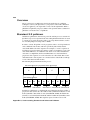
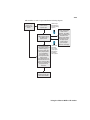
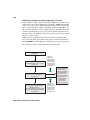
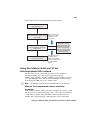
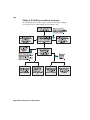
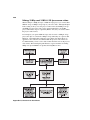
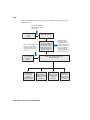
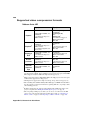
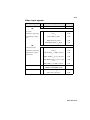
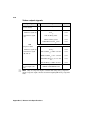
This workflow scenario is represented in the following diagram:
Video footage
shot as any
supported HD
format
Matrox Offline HD
codec used to
capture clips
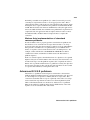
Offline clips
transferred to
remote editing
system.
Remote editing
system with Matrox
VFW codecs
installed. The offline
edit is completed and
trimmed on the
system using Adobe
Premiere Pro with
the appropriate
project setting
(for example,
480x270, 23.98 fps).
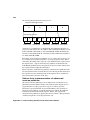
Matrox Axio offline
editing project using
any Offline HD
project preset
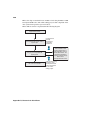
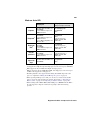
A new Matrox Axio
online editing project is
created using any
finishing-quality HD
video project preset,
such as MPEG-2
I-frame HD, or an
Uncompressed HD
project preset.
The offline project is
imported into the new
project, and the offline
clips are unlinked and
recaptured at full
resolution.
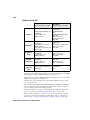
Offline edit
Premiere
Pro project
(.prproj) file
transferred
to Matrox
Axio system.
Exported to tape as
finishing-quality HD
video for broadcast
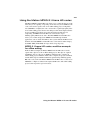
Using the Matrox Offline HD codec