1
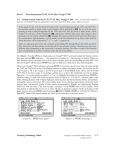
29 Graphing Technology Guide: TI-92 Row Operations add row 1 to row 2 Keystrokes 2nd MATH 4 D 2 E, 1, 2 ) STO➧ E ENTER add –2 times row 1 to row 3 2nd MATH 4 D 4 (-) 2, E, 1 , 3) STO➧ E ENTER add row 2 to row 3 2nd MATH 4 D 2 E, 2, 3) STO➧ E ENTER multiply row 3 by 1 2 2nd MATH 4 D 3 1 ÷ 2, E, 3) STO➧ E ENTER Figure 5.80: Final matrix after row operations Thus z = 2, so y = –1, and x = 1. Technology Tip: The TI-92 can produce a row-echelon form and the reduced row-echelon form of a matrix. The row-echelon form of matrix a is obtained by pressing 2nd MATH 4[Matrix] 3[ref(] A) ENTER and the reduced row-echelon form is obtained by pressing 2nd MATH 4[Matrix] 4[rref(] A) ENTER. Note that the row-echelon form of a matrix is not unique, so your calculator may not get exactly the same matrix as you do by using row operations. However, the matrix that the TI-92 produces will result in the same solution to the system. 1 − 2 3 5.6.4 Determinants and Inverses: Enter this 3×3 square matrix as a: −1 3 0 . Since this consists of the first 2 −5 5 three columns of the matrix a that was previously used, you can go to the matrix, move the cursor into the fourth column and press F6[Util] 2[Delete] 3[column]. This will delete the column that the cursor is in. To calculate its 1 − 2 3 determinant −1 3 0 , go to the Home screen and press 2nd MATH 4[Matrix] 2[det(] A ) ENTER. You should 2 −5 5 find that the determinant is 2 as shown in Figure 5.81. Figure 5.81: Determinant of a Figure 5.82: Inverse of a Copyright © Houghton Mifflin Company. All rights reserved.