1
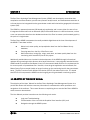
Navigation through the HDMS System
4.5 HOW TO USE THE STATE AND FEDERAL DATABASES
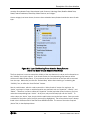
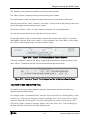
Open the “State/Federal Databases” category from the Layer list.
Select one of the databases from the category list as the Active Layer and/or select the “Visibility”
box to display the locations on the GIS map as points. In order to display the name of these
locations, select the “Display Label” box (third box).
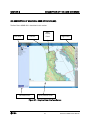
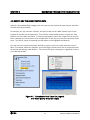
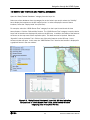
For example, select the “USGS Stream Flow” category from the Layer list and check all three
boxes/buttons. Click the “Refresh Map” button. The “USGS Stream Flow” category is now the Active
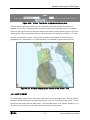
Layer and its locations are displayed as points on the GIS map. In addition, the labels of the features
are shown on the map next to their respective point. This data can now be queried. Select the
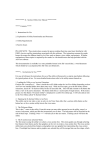
“Hyperlink” tool as the Active Tool. Click on one of the point features on the GIS map. A new
browser window will open. In this case, the “USGS Stream Flow” data for that location is displayed in
a graphical format in the new window.
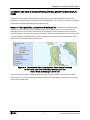
Figure 4-5. “State/Federal Databases” Layer List, GIS Map Indicating
the Locations of “USGS Stream Flow” Data, and a Browser Window
Displaying Data in Graphical Format
4-4
San Bruno HDMS Users’ Manual