1
SMARTLIBRARY USER MANUAL
•
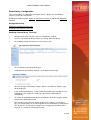
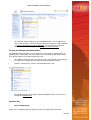
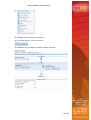
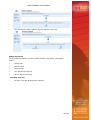
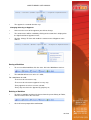
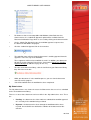
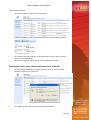
The Email Format drop-down list box, Email Subject text field, Email Body
composition area and Document properties picker list in the Approval No Longer
Required section can now be edited. The Workflow Designer can choose the
required format from the list: “Rich Text” is the default. The Subject and Body
can be populated with properties of the document going through the workflow by
double clicking on the item in the Document properties picker list: for example,
selecting ‘Created By’ will insert the author’s name in the email notification. The
Subject and Body can also contain free text. These settings will apply to all
‘Approval No Longer Required’ emails for the workflow.
Completed
•
When a file has completed the approval process an email is automatically sent
to the document’s submitter to inform him or her of the situation. The
”Completed” notification setting allows Workflow Designers to customize the
email sent a document’s submitter to inform them that the workflow process has
been completed.
•
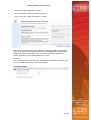
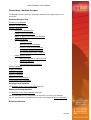
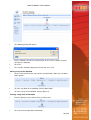
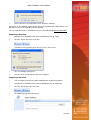
To enable the customization of ”Completed” emails, select the '
Yes'radio button.
•
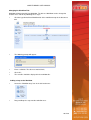
The Email Format drop-down list box, Email Subject text field, Email Body
composition area and Document properties picker list in the Completed section
can now be edited. The Workflow Designer can choose the required format from
the list: “Rich Text” is the default. The Subject and Body can be populated with
properties of the document going through the workflow by double clicking on the
item in the Document properties picker list: for example, selecting ‘Created By’
will insert the author’s name in the email notification. The Subject and Body can
also contain free text. These settings will apply to all ‘Approval No Longer
Required’ emails for the workflow.
Reminder
•
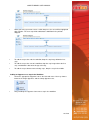
The ”Reminder” notification setting enables reminder emails to be sent to
unresponsive approvers at nominated intervals in days (minimum is one day).
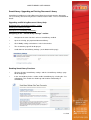
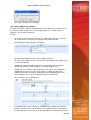
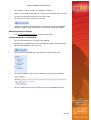
To enable ”Reminder” notifications, select the “Yes” radio button.
•
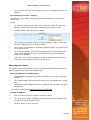
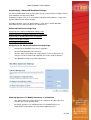
The Email Format drop-down list box, Email Subject text field, Email Body
composition area and Document properties picker list in the Reminder section
can now be edited. The Workflow Designer can choose the required format from
the list: “Rich Text” is the default. The Subject and Body can be populated with
properties of the document going through the workflow by double clicking on the
item in the Document properties picker list: for example, selecting ‘Created By’
will insert the author’s name in the email notification. The Subject and Body can
also contain free text. These settings will apply to all ‘Approval No Longer
Required’ emails for the workflow.
40 of 59