1
6 DEDICATED INSTRUCTIONS
MELSEC-Q
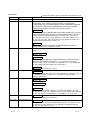
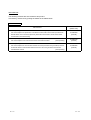
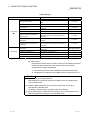
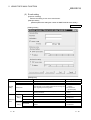
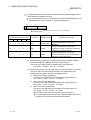
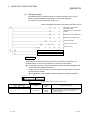
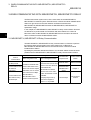
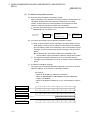
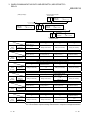
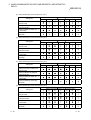
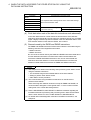
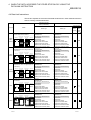
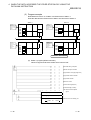
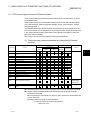
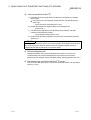
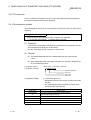
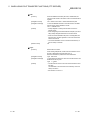
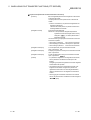
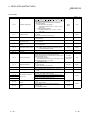
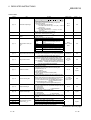
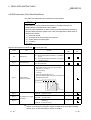
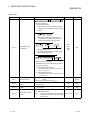
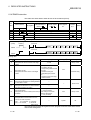
Control data
Device
Item
Set data
Setting range
Set by (
1
)
(S) + 0
Complete type
Designate 0.
0
User
(S) + 1
Completion status
Stores the status at completion of the instruction.
0: Normal
2
)
Other than 0: Abnormal (error code) (
—
System
(S) + 2
Local station storage channel
Designate the channel number that stores data to be read.
1 to 8: Channel number
1 to 8
User
(S) + 3
Channel used by send station
Stores the channel number used by the send station.
1 to 8: Channel number
1 to 8
System
(S) + 4
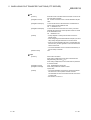
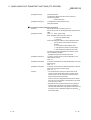
Network number used by send Stores the network number of the send station.
station
1 to 239: Network number
1 to 239
System
(S) + 5
Send station number
1 to 64
System
(S) + 6
to
(S) + 8
System area
—
—
0 to 480
System
—
—
—
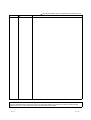
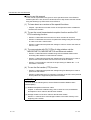
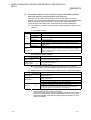
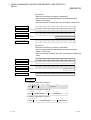
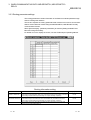
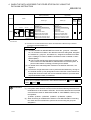
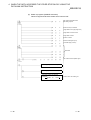
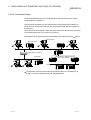
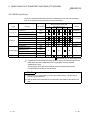
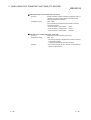
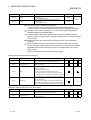
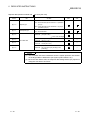
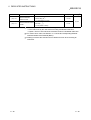
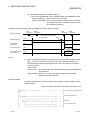
Set data
Setting range
Set by ( 1)
—
System
Stores the station number of the send station.
1 to 64: Station number (receive from the station with the
indicated station number)
—
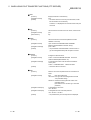
(S) + 9
Receive data length
(S) + 10
System area
Stores the word count of the receive data stored in (D1) + 0 to
(D1) + n.
0: No receive data
1 to 480: Word count of receive data
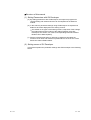
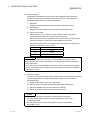
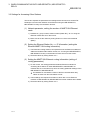
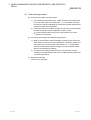
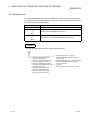
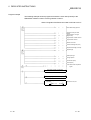
Receive data
Device
(D1) + 0
to
(D1) + n
Item
Receive data
Store the receive data.
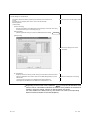
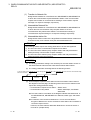
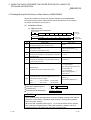
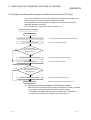
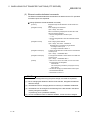
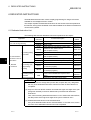
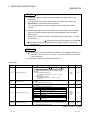
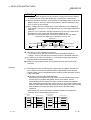
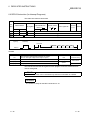
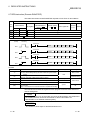
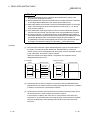
POINT
The receive data storage device (D1) requires a contiguous free area equal to or
greater than the receive data length ((S) + 9) (maximum of 480 words).
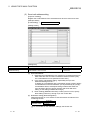
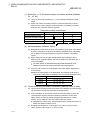
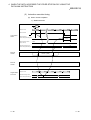
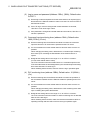
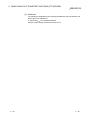
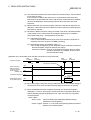
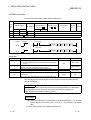
1 The "Set by" column indicates the following:
• User: Data is set by the user before executing a dedicated instruction.
• System: The PLC CPU stores the execution result of a dedicated instruction.
2 For a list of error codes, see Section 11.3.3 of the Q Corresponding Ethernet
Interface Module User's Manual (Basic)
6 - 23
6 - 23