1
7.2. TYPES OF STAGES
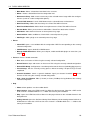
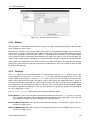
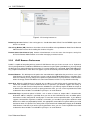
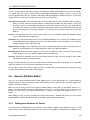
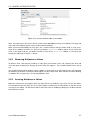
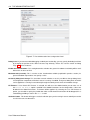
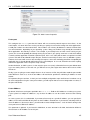
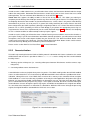
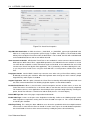
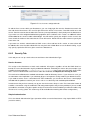
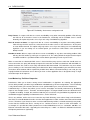
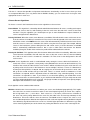
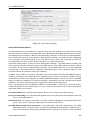
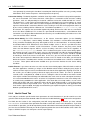
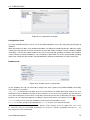
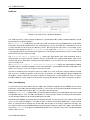
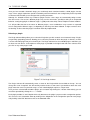
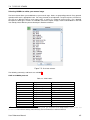
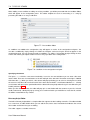
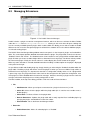
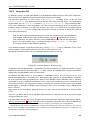
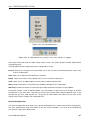
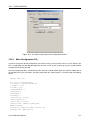
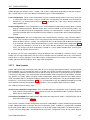
Figure 7.9: DirectoryScript Editor Window
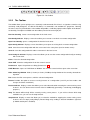
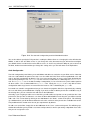
Preferences for Font and Tab Size This is described in more detail in Editing preferences 3.3.4. Note that
if you change the font, you need will need to reopen the file for the change to take effect. All tabs are
automatically converted to spaces, so tab size is only significant for new lines (and autoindent).
Syntax coloring Supports numbers, strings, comments, reserved words, punctuation.
Autoindent Blocks of code are automatically indented.
Brace matching Positioning the cursor after a brace highlights both the opening and closing brace.
Incremental Search Press Control+I, enter text, use the up and down keys to navigate. Press Esc to continue
editing.
Unlimited undo / redo available from the Edit menu.
Current line highlighting The line where the cursor is positioned is highlighted.
Automatic insertion of function declarations When opening a scriptlet, if the function declaration is present,
the editor will position the cursor in its body. If the function declaration cannot be found, a default declaration will be inserted automatically.
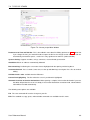
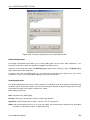
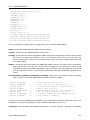
The following menu options are available:
File The save command will save the changes to your file.
Edit The standard cut, copy, paste, undo and redo commands are available from this menu.
User Reference Manual
89