1
6.4. DATASOURCES
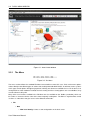
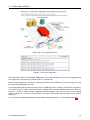
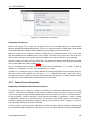
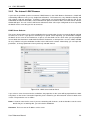
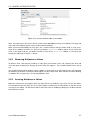
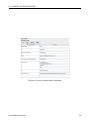
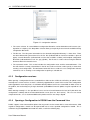
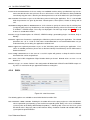
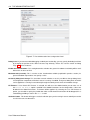
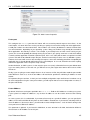
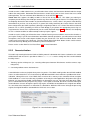
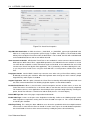
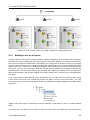
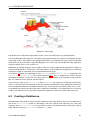
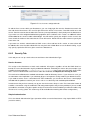
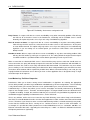
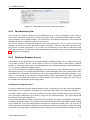
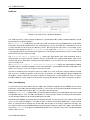
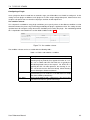
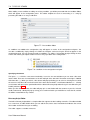
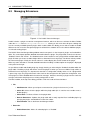
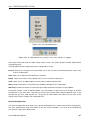
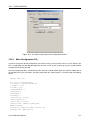
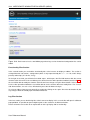
Figure 6.8: Database connection information
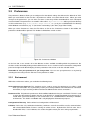
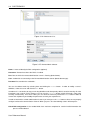
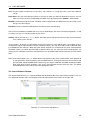
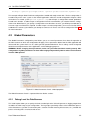
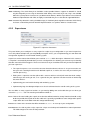
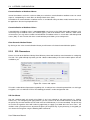
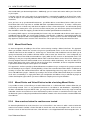
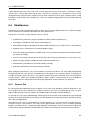
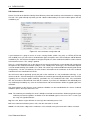
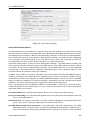
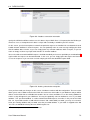
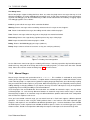
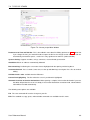
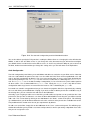
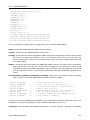
specify the full DN that will be used to access this data using an LDAP client. It is important that the DN that you
choose to use as a mountpoint for this data is unique and not already used within your DIT structure.
On this screen, you also have options to control how particular requests are handled. You can determine how to
handle unknown attributes in Search requests. You can optionally return an error message notifying the client
that the attribute does not exist, or you can simply ignore any unknown attributes within a request, or you can
return an empty result for any request that includes an unknown attribute.
You are also able to control how BIND requests should be handled if you have not specified a password attribute1
against which the request can be authenticated. In this case, you can simply ignore the request and return a
successful response or you can return an error notifying the client that the BIND request failed.
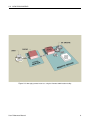
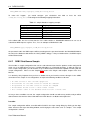
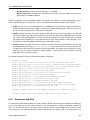
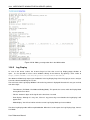
Figure 6.9: Defining a destination mountpoint
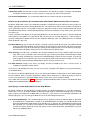
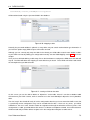
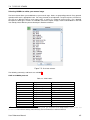
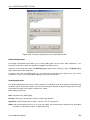
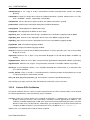
Once you have made your changes on this screen, click Next to continue with the configuration. The next screen
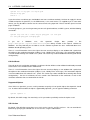
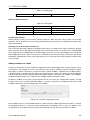
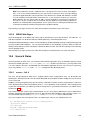
allows you to select a table to attach to the LDAP tree. Select one of the tables in your database and you will be
able to see the fields that are available for that table. You can select one field to use as the naming attribute for
entries as they will appear in your LDAP tree. You may also optionally select an attribute to use as a ’password
attribute’. The ’password attribute’ is used to authenticate BIND requests for entries in this part of the LDAP
tree. So, if your table contains a field called ’username’ and a field called ’password’, you may set ’username’
to be your naming attribute and ’password’ to be the password attribute. If your table is mapped to the DN
’ou=users,ou=webdb,dc=onecorp,dc=com’, BIND requests for:
1
We discuss password attributes in more detail later.
User Reference Manual
72