1
5.1. CREATING A LISTENER
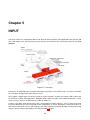
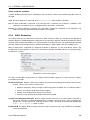
For each listener, a default server group can be assigned to process requests if a processing stage script
attached to the listener does not set a destination for these requests or simply to route traffic to a destination if
no processing is to be performed on requests coming into the listener.
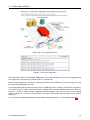
As an alternative to providing a default server group, a Virtual Tree can be constructed and attached to a
listener. This Virtual Tree will be presented to any client that connects to the listener. The Virtual Tree can
contain virtual mount points, onto which a DN in a defined DataSource can be mounted or attached. This
provides the possibility of constructing a single Virtual Tree that is comprised of nodes from a variety of backend
DataSources, to present a single unified view of the data. This facility is discussed at length in this chapter,
particularly in the section How To Use Virtual Trees 5.3.
5.1
Creating a Listener
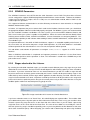
In order for your VDS configuration to do anything useful, you will need to create at least one listener. To do
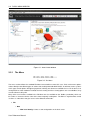
this, select the node called Input in the tree navigator and do either one of the following:
• Click on the New Listener button in the configuration panel
• Right-click on the Input node in the tree Navigator
• Select New Listener from the Entry menu
You will then be asked for the name of your new listener, and a listener node will be created in the tree. Once
you have done this, select your new listener node in the Navigator to configure it.
5.2
Listener Configuration
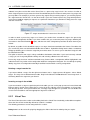
Each listener must be configured with a unique name. This name is set when the listener is created, but can
be changed within the configuration panel. If you attempt to create a listener with an existing name, a warning
dialog will pop up and you will be prevented from creating the listener.
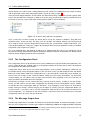
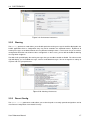
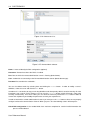
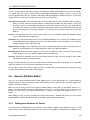
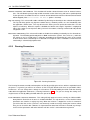
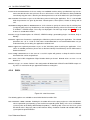
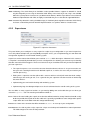
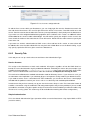
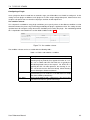
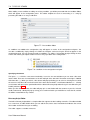
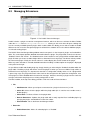
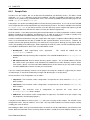
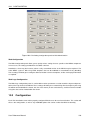
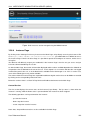
The listener configuration panel is split into several parts indicated using tabs. The first tab is used to define
the main configuration of listener-specific parameters. The second (optional) tab is used for the definition of the
SSL parameters that the listener will use for listeners using a TLS (LDAPS and HTTPS) layer. The third tab
(optional) will allow you to enable SASL/GSSAPI support on the listener interface. The fourth tab allows you to
list processing stages that packets can be routed to before going out to a server group. And finally, a fifth tab is
used to configure options specific to the use of Virtual Trees.
5.2.1
Main Listener Properties
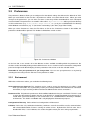
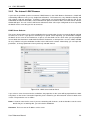
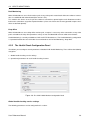
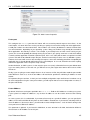
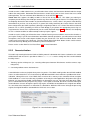
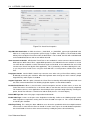
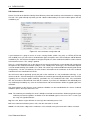
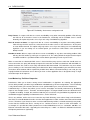
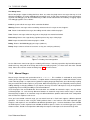
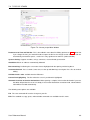
In the first tab, entitled "Main Listener Properties", you will need to set the properties that describe the listener,
such as the protocol, the port, and a number of other options that control the listener’s behavior.
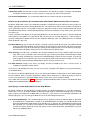
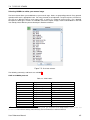
Protocol
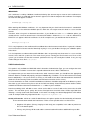
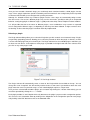
Select the protocol that the listener should support from the combo box. Some protocols will disable some of
the other required configuration parameters in this panel, as they will no longer be relevant. For instance, for
protocols not using SSL, such as ’LDAP’ or ’HTTP’, the SSL tab will not be available.
User Reference Manual
44