1
4.2. GLOBAL PARAMETERS
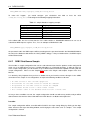
bin/dsgui -openConf myconfig@localhost -openConf [email protected]
This example will open DSGUI with two configurations loaded and ready to work with. The first configuration is
hosted locally on the same system as the DSGUI application, while the second configuration will open a RAS
connection to a remote system (server1.mydomain.com) and will open a configuration named ’production’
hosted at this location. In order to open a configuration from the command-line, you need to know the configuration name beforehand. If you specify a configuration name that does not exist, you will be presented with an
error message once DSGUI has opened. In order to open a remote configuration, you must ensure that RAS is
enabled on the remote system before you attempt to connect to it. Please see How to configure the RAS 10.3
for more information.
4.2
Global Parameters
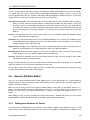
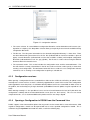
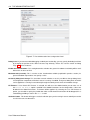
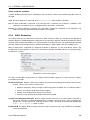
The Global Parameters configuration panel allows you to set several parameters that affect the operation of
the VDS instance for which the configuration will apply. These parameters define how the VDS application will
interact with the system that it runs on, and its general operational behavior. These settings can be changed to
tweak the overall performance of the application, and for debugging purposes.
WARNING: Before changing these parameters, make sure you understand their meaning exactly. Misconfiguration of global parameters can have wide-ranging and potentially adverse effects on the manner
in which VDS operates.
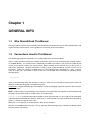
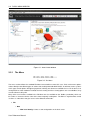
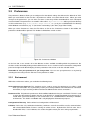
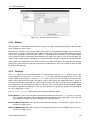
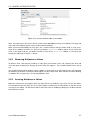
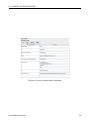
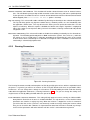
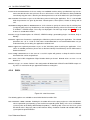
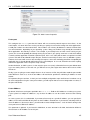
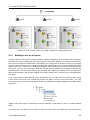
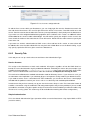
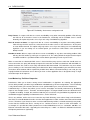
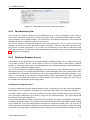
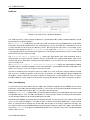
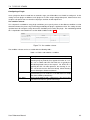
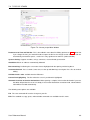
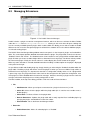
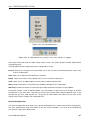
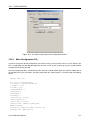
Figure 4.2: Global Parameters Panel - Global properties
The Global Parameters Panel is separated into four distinct sections.
4.2.1
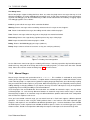
Debug Level for DataSources
This ’slider’ option allows you to specify the level of verbosity that the VDS will generate as logging output when
it handles the initial setup of your configuration. The log output specifically relates to the initialization process
of the DataSources (creation of connection pools, creation of health checking infrastructure, etc.) and with the
process of routing PDUs on to back-end servers.
User Reference Manual
32