1
XEM6002 User’s Manual
Toolbar
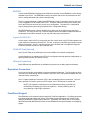
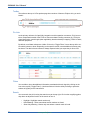
The toolbar at the top of a Pins product page has a number of features. Explore a bit; you won’t
break it.
Pin Lists
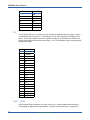
As the primary reference for Opal Kelly integration module expansion connectors, Pin Lists contain a comprehensive table of the FPGA-to-Connector data including connector pin, FPGA pin,
signal description, routed length (when applicable), breakout board pin mapping, FPGA I/O bank,
and other properties.
By default, not all data columns are visible. Click on the “Toggle Filters” icon at the top-left to select which columns to show. Depending on the specific module, several additional columns may
be shown. The data in these columns is always exported when you export the pin list to CSV.
Filters
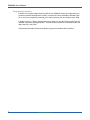
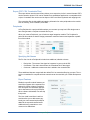
You can hide or show the additional information associated with each signal by clicking on the
icon at the top left (“Toggle Filters”). Use these filters to limit the visible pin listing to particular
subsets of signals you are interested in.
Search
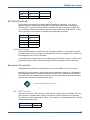
You can search the pin list using the search entry at the top-right. Click on the magnifying glass
drop-down to adjust the function of the search to one of:
•
•
•
14
Highlight - Highlights search results only.
Hide Matching - Hides rows where search matches are found.
Show Only Matching - Shows only rows where a search match is found.
www.opalkelly.com