1
Installation Guide
7 Mount
Tips: You now have an option to install the T23 Series units without the battery. This installation can be done
in areas where temperature exceeds the battery operation range of 60°C.
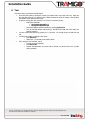
There are 2 primary methods of mounting the T23 Series unit:
1. *Use the 4 screw holes to attach to a flat surface inside the vehicle. Use self-drilling sheet-metal
screws, diameter max ST 4.2 mm, length about 20mm, cross recessed, pan head.
2. Use double-sided automotive grade tape to attach the case to the vehicle.
* T23 Track: Cable tie or double sided tape.
You may choose to mount the T23 Series somewhere covertly e.g. under the dashboard, but in all cases the
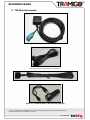
T23 Series GPS antenna must be placed such that sufficient signal quality is available to the antenna to allow
for GPS signal reception from the orbiting GPS satellites and cellular radio communications with the mobile
radio network. GPS signals do not pass through metal or electrically conductive material. Note that T23 Track
does not have external GPS antenna option.
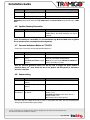
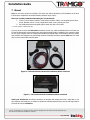
Figure 8 – T23 and T23 Fleet automotive installation/Wires connected
Figure 9 – T23 Track automotive installation/Wires connected
Check your windscreen: Should the windscreen be provided with heating that uses a metal film or fine
wires built into the windscreen, or features a special heat reflecting athermic layer, then the GPS signal will be
screened off from the T23 Series.
© 2007 - 2014Tramigo™ Ltd. All rights reserved. Under the copyright laws, this manual cannot be reproduced in any
form without the prior written permission of Tramigo™.
Page 22 of 30