1
Connecting the Bluetooth Keyboard with a Device
Connecting to an Android Tablet
1.
Press the Power and Connect button for about 5 seconds until the power light has come on
and then started flashing blue, to indicate that the keyboard is advertising itself via
Bluetooth.
2.
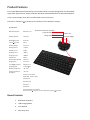
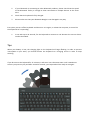
Access Android Settings and touch on the “Bluetooth” setting and switch it On (see image
1).
3.
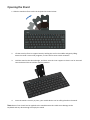
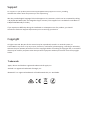
Once the tablet has finished finding all Bluetooth devices in the vicinity, select
“Bluetooth keyboard” by touching the entry in the list (see image 2).
Image1
Image2
4.
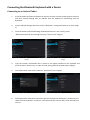
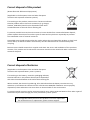
Type the number combination that is shown in the popup window on the keyboard and
press the Enter / Return key, in order to finish pairing with the keyboard (see image3).
5.
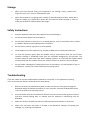
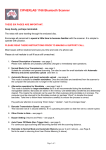
The keyboard will now show a status of “Connected” (see image4).
Image3
6.
Image4
The keyboard has now been successfully paired and whenever Bluetooth is enabled on the
tablet and the keyboard is turned on, it will automatically connect after a few seconds from
now on.