1
Chapter 4: Image Acquisition
Entering Patient Information (continued)
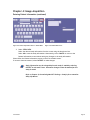
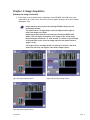
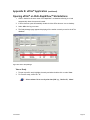
Figure 4-3: Patient Information Screen > STUDY INFO
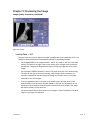
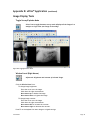
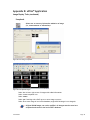
Figure 4-4: STUDY INFO Screen
3. Select STUDY INFO.
Select the desired study information from the screen using the drop down lists.
Select OK to save the study information. Alternatively, select CANCEL to return to the
Patient Information screen without saving any changes to the study information.
Select OK on the Patient Information screen to return to the Main screen.
If incorrect data was entered, select PATIENT to make changes.
Study information may be changed before the study is ended by selecting
PATIENT on the main screen. Permanent changes cannot be made after the
study is ended.
Refer to Chapter 8, Customizing MarkIIG™ Settings > Study Info to customize
Study Info Menus.
Sound-Eklin™
Page 8