1
Infinity Core
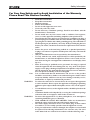
In the section below, the needed A-Link ports must be enabled, by removing the semicolon in
front of the definition of the max. 12 ports.
System1= “ALK1” PortId=1 NodeId=23 ç this A-Link port is enabled
;System2= “ALK2” PortId=2 NodeId=24
;System3= “ALK3” PortId=3 NodeId=25
;System4= “ALK4” PortId=4 NodeId=26
;System5= “ALK5” PortId=5 NodeId=27
;System6= “ALK6” PortId=6 NodeId=28
;System7= “ALK7” PortId=7 NodeId=29
;System8= “ALK8” PortId=8 NodeId=30
;System9= “ALK9” PortId=9 NodeId=31
;System10= “ALK10” PortId=10 NodeId=32
;System11= “ALK11” PortId=11 NodeId=33
;System12= “ALK12” PortId=12 NodeId=34
The PortId is the A-LINK port index of the Inifinity Core to which the system is connected.
The D23 system name (set in quotation marks) can be changed by the user.
The NodeId is the unique Id used to address the corresponding D23 frame.
Document generated: 18.03.15
Infinity Core 13