1
Chapter 3
Staff Management
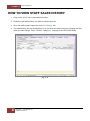
HOW TO VIEW STAFF SALES HISTORY
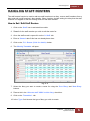
1. Click on the ‘Staff’ icon to activate this module.
2. Search for the staff member you wish to edit the roster for.
3. Once the staff record is open click on the ‘8: History’ tab.
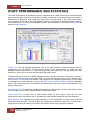
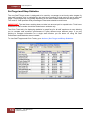
4. The sales history will now be displayed. You can filter the sales history by changing the filter
fields (the Date Range, Client, Product, Category-1, Category-2 and Prd Class fields).
Fig. 3 - 4
8
HAIRLINKSQL User Manual v4.5
Updated 01/05/2012