1
LETTUS User Manual
System Administrator
Menu 0
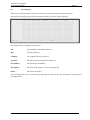
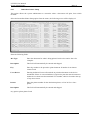
The following options do not require the entry of a printer number for their operation.
Display All Printer Jobs
Shows all print jobs, their owner and current status.
Kill Selected Print Job Displays a list of all jobs on the current printer and prompts for a job'S ID
number. When the ID number is supplied that job is immediately killed.
Shut Down Print Scheduler
Shuts down the currently active UNIX print scheduler.
Start Up Print Scheduler
Starts the UNIX print scheduler if it is not already running.
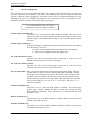
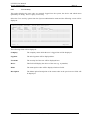
Immediate Printer Setup
Allows for the setup of a default printer for those operations that perform
immediate printing. These include order finalisation, credit notes, reprinting and
queries of invoices.
It is recommended that only LETTUS Support Staff
make changes to these files.
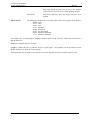
Reset Screen to 80 characters
This option will reset the screen to 80 characters wide should it have become
locked in 132 character mode. Whilst not normally required this may occur on
occasions when a module has been terminated abnormally.
0.1.1
Printer Selection
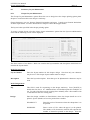
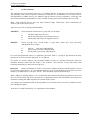
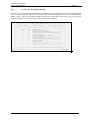
When a report is run from the menu and from within some programs, you will be shown the Printer
selection form. This form enables you to display the document on the screen, print it to a nominated
printer or send it to a nominated fax machine (it this facility is available). It also provides some
administration facilities to kill jobs and process batch jobs. The left half of the printer selection form lists
options available to the user and the right half of the form lists all of the devices (printers and faxes) that
are available to the user. Each printer will have a specified number and this is used when nominating
where to send a document to have it printed. For example, Printer 1 may be on the sales floor while
Printer 5 is used solely for management reports. Not all options require the selection of a printer as they
result in output to the screen or to a printer attached to the screen.
PICKING_SLIP_LIST
****_TRADING_NAME_****
PICK
+--------------- Options ----------------+------------- Printers -------------+
| 1. Send Report to Printer
| No Description
|
| 2. Reprint Last Report
| _1 DEFAULT_PRINTER__________________|
| 3. Background Print
| _2 LASER_PRINTER____________________|
| 4. Display Jobs on Specific Printer | __ _________________________________|
| 5. Kill Current Job on Printer
| __ _________________________________|
|
| __ _________________________________|
| 8. Slave Screen Printer
| __ _________________________________|
| 9. Display on Screen
| __ _________________________________|
| 28. Reprint on Slave Screen Printer
| __ _________________________________|
| 29. Redisplay on Screen
| __ _________________________________|
| 30. Display all Printer Jobs
| __ _________________________________|
| 31. Kill Selected Print Job
| __ _________________________________|
| 50. Create a Batch Job
| __ _________________________________|
| 51. Delete a Batch Job
| __ _________________________________|
| 52. Query
Batch Jobs
| __ _________________________________|
| 90. Display Error Log
| __ _________________________________|
|
| __ _________________________________|
|
Option : ______
| __ _________________________________|
|
Printer: ______
| __ _________________________________|
+----------------------------------------+-----------------------------------+
Count: *0
<Replace>
Printed on 16 May, 2002
Fresh Computer Systems Pty Ltd
0-3