1
LETTUS User Manual
System Administrator
Menu 0
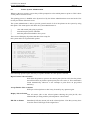
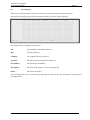
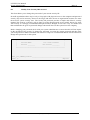
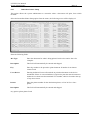
Selecting any of the following options will require you to choose a printer from the list on the right side
of the form.
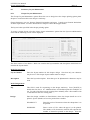
Send Report to Printer
Reprint Last Report
This option is used to specify which printer to print a report on. Select 1 to print
on Printer 1, select 2 to print on Printer 2 and so on.
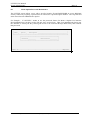
This option can be used to reprint the last report that was specified to any
available printer. For example if the user selected a report to be displayed on the
screen and then decided to print this report then this option would be used. The
report parameters do not need to be re-specified.
For each UNIX login user, the last copy of each different report generated is
retained on file, and so is available for immediate re-print through this option.
Background Print
A report can be run in background, freeing the terminal for further use. When
selecting this option the report will be formatted "behind the scenes" and be
printed when the printer becomes available. This is used particularly for reports
that require some time to format and have a low priority. Note however that once
the report has begun formatting you can not stop it processing, but you can kill it
once it starts printing.
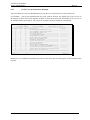
Display jobs on Specific Printer
Select this option to display on the screen all printer jobs currently printing and
to be printed on the selected printer. Details provided include the printer job
queue, print id number, the owner of the print job, the size of the print job and
the date that the job was queued.
Kill current Job on Printer
If you wish to stop a print-out from being completed on the selected printer you
select this option. The job that is currently being printed will be stopped and will
be removed from the print queue. This is often used when only the first few
pages of a long report are required, or if a report was asked for by mistake.
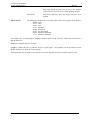
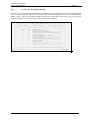
Change Printer Pitch The pitch of the printer (size of the printing) can be changed via the terminal
through this option. Available pitches are displayed to allow you to select the
required pitch. Note that you will have to set the pitch back to the default once
you have finished.
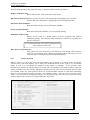
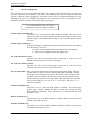
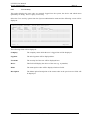
The following Options do not require the selection of a printer.
Slave Screen Printer
Where a printer has been connected to the slave port of your screen it is selected
using this option. Only the terminal to which the printer is connected can access
this printer.
Display on Screen
Select this option to view the document on the screen. You will be able to move
up and down through the document. You can not scroll sideways. Reports that
are wider than 132 characters will only show the first 132 characters, however all
characters will be printed if the printer has the capability.
Reprint on Slave Screen Printer
When a report has been generated it may be reprinted on a printer that has been
connected to the slave port of your screen. Only the terminal to which the printer
is connected can access this printer.
Printed on 16 May, 2002
Fresh Computer Systems Pty Ltd
0-4