1
Connecting the unit up
Connecting the unit up
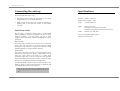
Specifications
You can use the unit in two ways:
•
Stand alone mode, where the unit listens to the music
and generates its own complex lightshow
•
DMX control mode, where you connect a controller or
lighting desk to the unit and control its movements
yourself.
Stand alone mode
The CE range of Abstract products have a sophisticated
built-in lightshow, which is compatible across the whole
range of products - you can connect any mix of units
together and a fascinating synchronised lightshow will be
produced.
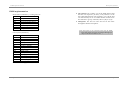
Colours: White + 7 dichroic
Beam rotation: 80rpm - 1rpm
Lamp:
A1/232 150W 15V
DMX:
Receive on 1-508
Transmit on 1-8 (stand alone mode)
DMX active regeneration when not stand alone
Audio:
Electret mic with AGC
Power consumption: 300W approx.
Electronics fuse: T3.15A
One unit only
If you have only one unit, all you need to do is connect the
power. The unit will listen to the music with its built-in
microphone and produce a complex and dynamic sound
animated light show using its built-in memory.
Several units
If you have more than one unit, you could run them all in
stand-alone mode. However, there is a much better way of
using the units which will result in a much more
spectacular light show. You can connect the units together
using DMX cables; the first unit will then control the other
units to give an automatic synchronised light show.
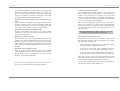
Connect the DMX out (the socket) on the first unit to the
DMX in (plug) on the second unit using a balanced XLR
lead. Repeat this connection for all units.
Note: If you are connecting the Galactic Moon with
Futurescans, make one of the Futurescans the first in
line.
Page 5
Page 14