1
Problems
If your DMX connections are fairly short, you will get away
with using ordinary microphone cables. For longer runs
this may cause data transmission problems (which will
show up as random or incorrect movements); you should
use proper balanced data transmission cable.
Unit does not respond properly when controller on fast
chase
If the controller is changing very rapidly, the unit may not
be able to keep up. It will ‘average’ the changes, which may
result in it doing things you do not expect. Either slow the
chase down, or set positions which are closer together.
Unit moves very slowly in standalone mode
Check the dipswitches are not set to the special option
settings. You can set a special mode which makes the unit
move slowly all the time.
Unit does not respond to sound
Check that the unit is not receiving DMX (the green LED
should be off). Also check that the unit is not set to ‘display’
mode (see page 6) as it does not respond to sound in this
mode. Otherwise, tapping the microphone should cause the
LED to flash (quiet or high pitched sounds will not activate
the unit).
Unit blacks out in standalone mode
Some of the unit’s built in patterns include special effects
such as blackout sweeps. If you connect two units you will
find that only one is ever blacked out at once, and the
blackout ‘swaps’ between the units.
If you cannot resolve the problem, it may be that the unit
has a fault. You should contact your Abstract dealer.
Page 13
Connecting the unit up
2-channel stand alone operation
To add further interest to the light show you can set each
unit to either follow the first unit or to do something in
contrast to the first unit. For example, if you have four
units, two on the right and two on the left, you might want
to set the outside two units to do one thing, and the middle
two to do a variation on the same theme.
You do this by setting dip switch 10 ‘off’ to make them
work the same and ‘on’ to make them work differently.
Even if you only have two units you will probably find that
you get a better light show if you set dip switch 10 ‘on’ on
the second unit.
Note: Dip switch 10 has no effect on the first unit in the
DMX line (the one generating the light show).
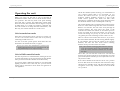
Special options in stand alone mode
In stand alone mode, you can also set three options which
affect the way the unit produces its light show, by setting
the other 9 dip switches (1-9):
•
All dip switches on: Display mode - unit ignores audio
and runs slowly through various patterns
•
1 off, 2-9 on: Slow mode - unit responds to audio but
always moves slowly and gently. No strobing is used.
•
1 on, 2 off, 3-9 on: Strobe disable mode - unit behaves as
for normal stand-alone mode but will not use strobing.
These options only need to be set on the first unit in the
DMX line if several units are connected together. You can
set the switches before or after the unit is turned on.
If you connect a DMX source while these special options are
set, the unit will have a start channel of 1.
Page 6