1
AMS Version 4.0 User Manual
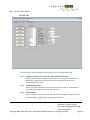
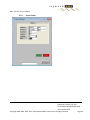
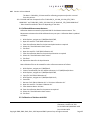
21. Enter Manufacturer, Model, Serial Number, Calibration Date DD-MMM-YYYY (this is
Todays Date and not the calibration date on the antenna)
22. Enter the Data File directory by selecting
. If the directory for the Sleeve Dipole
does not exist, create a new directory “with the same name, i.e. SDP-2400. Then
select the new directory, and select “Done”.
23. Enter the remaining data as required
24. Select Measurement Tab
25. Select Measurement Type: "Ripple"
26. Select Setup: "RS-H"
27. Select Parameters: “(0,0,0)”
28. Select Frequency: i.e. "2450 MHz"
29. If the Display Excel Button is “On”, a new Excel Data File will open in the back ground.
30. Enter Operator Name
31. Enter Test Date: DD-MMM-YYYY
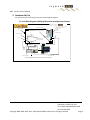
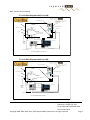
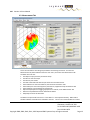
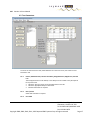
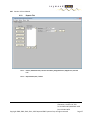
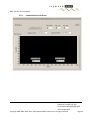
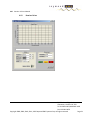
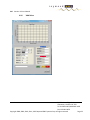
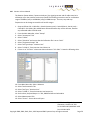
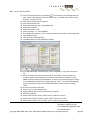
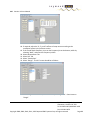
32. The Measurement Screen should be as follows:
33. From Main Menu Bar, Select Save, select “Ripple-H”, OK, Yes to Over write file.
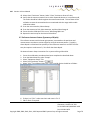
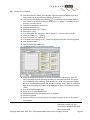
34. Select the Yellow driver buttons for the SG, SA, Positioner, and Switch1. They will
open and change to Green indicating that they are active and initialized. The drivers
can be hidden by either selecting “Close Window” on driver, or by pressing the green
button on the AMS Measurement Tab, and then selecting “Hide”. They can be viewed
again by pressing the green button on the AMS Measurement Tab, and then selecting
“Hide”.
35. Once all of the drivers are open,
36. Select "Start" to start measurement
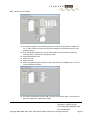
37. Popup will appear once the measurement is complete
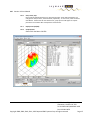
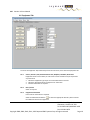
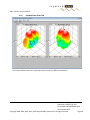
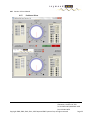
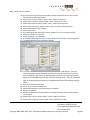
38. Results are graphed
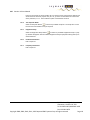
39. Select Green "Source" button, Select "Close", SG driver will close
40. Select Green "Receiver" button, Select "Close", SA driver will close
5185 Dolman Ridge Road
Gloucester, Ontario K1C 7G4
Tel: 613-841-1663; 800-EMC-1495
Fax: 613-841-0456
Copyright 2008, 2009, 2010, 2011, 2012 Raymond EMC Systems Corp. All rights reserved
Page 73