1
AMS Version 4.0 User Manual
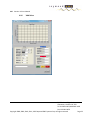
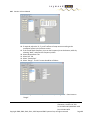
84. Select Data File Directory "...", in popup window, navigate to "Cable-002-Cal2", select done.
Ensure that directory "Cable-002" was not selected, as it will be utilized further on.
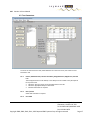
85. Select Measurement Tab
86. Select Measurement Type: "Insertion Loss"
87. Select Setup "ILS-Cal2"
88. Select Parameters "STD"
89. Select Frequency "700-10000 MHz"
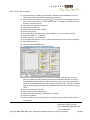
90. From Main Menu Bar, Select File, Save, select ILS-Cal2, OK, Yes Overwrite
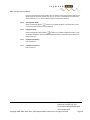
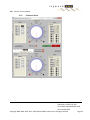
91. Select the yellow "Source" button .. Source driver will open and the button will turn green
92. Select the AMS application
93. Select the yellow "Receiver" button .. Receiver driver will open and the button will turn
green
94. Select the AMS application
95. Select "Start" to start measurement
96. Popup will appear once the measurement is complete
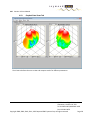
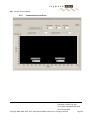
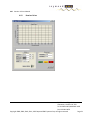
97. Results are graphed
98. Select "Source", Select "Close", Source driver will close and the button will turn yellow
99. Select "Receiver", Select "Close" .. Receiver driver will close and the button will turn yellow
100. The actual insertion loss of Cable-002 is now known, (with the exception of the connector)
Step 3 Measure Actual SG Output / Gain
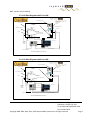
101. Remove Cable-001 and Install Cable-002 between the SG and SA, so it is: SG, Cable-002,
SA
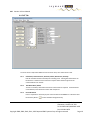
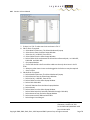
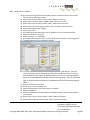
102. From the Main Menu Bar, select "Setups"
103. Select "Accessories" Tab
104. Select Accessory Type "Cable"
105. Select Cable-002-Cal2 from the Accessory Cables
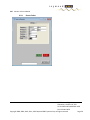
106. Edit information as required
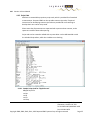
107. Select Calibration file "...", navigate to directory: "Cable-002-Cal2" and select file ie.:
"IL_ILS-Cal2_ILC-Cal2_STD_700.0-10000.0". This is the Calibration file from the previous
test. Ensure that directory "Cable-002" was not selected.
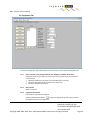
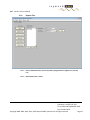
108. Select "Equipment Setups" Tab
109. Select Test Type Setup: "Insertion Loss"
110. Select "IL-Cal3", from Insertion Loss Chains List
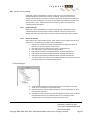
111. If there is no SG in the Tx Chain
a. Select New Tx Chain Item, The Select Window will popup
b. Select Source from the Select Popup Window
5185 Dolman Ridge Road
Gloucester, Ontario K1C 7G4
Tel: 613-841-1663; 800-EMC-1495
Fax: 613-841-0456
Copyright 2008, 2009, 2010, 2011, 2012 Raymond EMC Systems Corp. All rights reserved
Page 52