1
Designing newsletter templates 331
23.5 How do I design a template which I can use to confirm enrollment
for my newsletter?
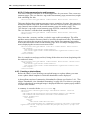
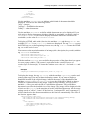
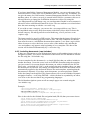
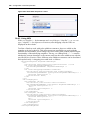
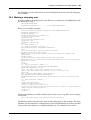
You can perform this function with coding similar to the salutation block noted above,
except that the confirmation link must appear after the dispatched E-mail. To create the
confirmation function, you use the <we:newsletterConfirmLink> tag. For example:
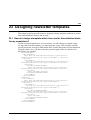
<we:ifHtmlMail>
<we:ifFemale>
Dear Mrs.<we:newsletterSalutation type="title"/>
<we:newsletterSalutation type="lastname"/>,<br><br>
<we:else/>
<we:ifMale>
Dear Mr.<we:newsletterSalutation type="title"/>
<we:newsletterSalutation type="lastname" />,<br><br>
<we:else/>
Dear customer,<br><br>
</we:ifMale>
</we:ifFemale>
Please confirm your request for our newsletter by clicking on the
following link:
<we:newsletterConfirmLink/><br><br>
Many thanks from your CMS Team!
<we:else/>
<we:ifFemale>
Dear Mrs.<we:newsletterSalutation type="title"/>
<we:newsletterSalutation type="lastname"/>,
<we:else/>
<we:ifMale>
Dear Mr.<we:newsletterSalutation type="title"/>
<we:newsletterSalutation type="lastname"/>,
<we:else/>
Dear customer,
</we:ifMale>
</we:ifFemale>
Please confirm your request for our newsletter by clicking on the
following link: <we:newsletterConfirmLink/><br><br>
Many thanks from your CMS Team!
</we:ifHtmlMail>
23.6 How do I design an unsubscribe page so people can remove
themselves from a mailing list?
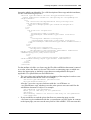
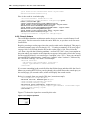
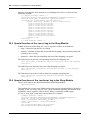
If you have used the easiest method for the subscribe page, that is, with
only one field to enter an E-mail address, you will require only one button. To create an
unsubscribe button, use an <we:unsubscribe> tag, followed by an HTML submit button.
For example:
<we:form id="self">
E-Mail-Adresse:<br>
<we:unsubscribe size="40"/><br>
<input type="submit" name="Submit" value="send">
</we:form>
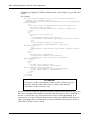
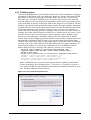
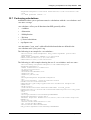
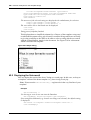
By using a single entry after the <we:addDelNewsletterEmail> tag, you can test
whether or not the unsubscribe was successful, and if necessary, generate an error
message. For example:
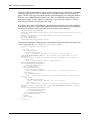
<script language="JavaScript">
<!-<we:ifUnsubscribe>
msg = 'The E-Mail address <we:var type="global"
name="WE_NEWSLETTER_EMAIL"> was successfully removed!';
</we:ifUnsubscribe>
Newsletter Module