1
Internal Jumper Settings, continued
A WORD CONCERNING INPUT LEVELS
It is important to keep the input level to the amplifier within an optimum range.
If the level is too high, higher nonlinear distortion will result and if the level
becomes too low, C/N might be less than desired. As a general rule, stay
within the guidelines below. This chart assumes a fully loaded analog channel
complement. Higher levels may be used if the channel loading is less. Also, if
the system is populated with around 70 analog channels and another 70 or 80
QAM channels that are at least 6 dB lower than the analogs, then the levels of
the analogs can be higher. Also, if the signals entering the distribution amp
are sloped, then the highest frequency channels can be set to higher output
levels that shown below for a 'flat' input.
INSTALLING FORWARD PATH INPUT ATTENUATOR
If input levels are enough to cause a high distortion level in the input
amplifier, a fixed input attenuator may be added. Remove top cover.
Choose an SXP type attenuator of the value required, and install at the
location indicated below. Remove the 0 dB wire jumper to allow insertion of
the attenuator. Carefully replace the top cover being sure that the spacer
mounted to the cover does not unseat the just installed attenuator. The
spacer should be directly over the attenuator when the cover is positioned
correctly. Tightens cover screws after positioning.
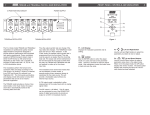
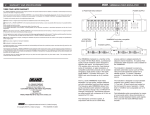
FORWARD PATH FIXED
INPUT ATTENUATION
LOCATION
A factory installed jumper is
installed here for no attenuation.
To install an input attenuator,
remove jumper and plug in a
"SXP" type attenuator rated for
the same or higher frequency as
the amplifier.
In general, install a fixed input attenuator if required to set the highest
frequency channels in the input to within the optimum range. Then set the
amplifier gain to achieve the desired output level, not to exceed the maximum
output level listed in the chart below. Then, if the low frequency channels are
above the optimum input level range, a fixed input equalizer can be installed
to drop the low frequency channels to within this range. Use the slope control
to make fine adjustments.
OPTIMUM INPUT
LEVEL FOR
LOWEST
NEL
MODEL
LOADING
DISTORTION
MAX INPUT
WITHOUT
INPUT
MAX OUTPUT
ADJUST GAIN
CONTROL
CHAN-
ATTENUATOR
3
IN
OUT
IN
OUT
GROUND
TO MAINTAIN
GROUND
DA7533
+10 to +15 dBmV
+18 dBmV
+44 dBmV
110 CH
DA7543
0 to +5 dBmV
+10 dBmV
+44 dBmV
110 CH
DA8632
+7 to +12 dBmV
+16 dBmV
+40 dBmV
129 CH
DA8642
-2 to +5 dBmV
+7 dBmV
+40 dBmV
129 CH
DA100032
+6 to +10 dBmV
+12 dBmV
+38 dBmV
150 CH
DA100042
-2 to + 5 dBmV
+ 7 dBmV
+38 dBmV
150 CH
If the input level is within the optimum input level window, distortion will be at
or below that which is specified. If a higher input level is supplied, add a fixed
input attenuator equal to the number of dB needed to reduce the level to be
within the optimum input range.
POWER LED
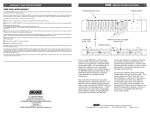
FORWARD PATH INPUT EQUALIZER LOCATION
A factory installed jumper is installed here for no
equalization. Install desired "QSA" type equalizer
here. If the equalizer is later removed, the jumper
must be reconnected between the IN and OUT
connections, keeping the length as short as possible.
INSTALLING AN INPUT EQUALIZER
Follow the same basic procedure as described above for the input attenuator
except that the equalizer is installed at the equalizer location shown above.
NOTE ABOUT COVER REMOVAL AND REPLACEMENT
This note only applies if the input attenuator has been installed. There is a
spacer mounted to the inside of the top cover that will be located directly
above the input attenuator. When removing or replacing the cover, be sure
that all of the cover screws are loosened several turns before moving the
cover. Be sure the attenuator is seated fully in its socket before reinstalling
the cover, and carefully place the cover in position with the spacer directly
over the attenuator, before retightening the screws.