1
33.6
.
3 AFC, APC
3.6
AFC and APC Offset Calibration
The AFC and APC pressure and flow rate sensors can be calibrated (zeroed).
This calibration is required to correct minute deviations of the sensor values which may
occur after long periods of use. If the sensor values deviate, “0.5 kPa” or “0.5 ml/min” could
be displayed, for example, even through there is no actual pressure of flow. When data
reproducibility is important, perform the offset calibration.
For the AFC, perform the offset calibration using the following procedure.
(In the case of WBI analysis, remove the WBI column from the injection port before the following procedure. After the proceduce attach the column to injection port as before.)
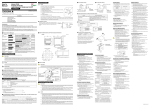
(1) Press[SYSTEM]key, toggle key, PF1 key, and change “Start GC” to “Manual Start”(refer
to Fig.3.6.1 or 3.6.2).
If “Manual Start” was already set, proceed to the next step.
(2) Turn off the power. Wait until the column oven, the injection port and the detector have
cooled down to 50°C or less.
(3) Turn on the power. Wait for approximately 1 minute.
(4) Press the [FLOW] key once and the toggle key twice, in that order. Then, the Fig. 3.6.2
opens.
(5) Press the PF2 key. The message “Zero Calibration Start” appears at the bottom of the
monitor. Approximately 10 seconds later, the message “Zero calibration completed”
appears. Calibration of the AFC is complete.
(6) Return the “Start GC” setting to its original status.
NOTE
Refer to “5 Basic Key Operation”.
Fig. 3.6.1 46
GC-2010