1
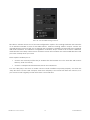
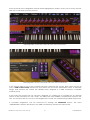
Open mode offers a slew of parameters “under the hood” that further expand the capabilities of
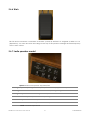
VOX Continental V. This is where you select the engine type (VOX or Jennings), the reverb type,
set the vibrato/tremolo rates and depths, add or remove background noise, fine-tune the octave
dividers, and turn the instrument into an “antique” with the Key Contact Age control.
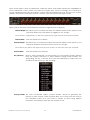
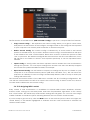
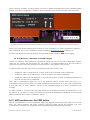
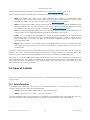
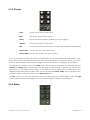
Here’s a list of the Open mode features, from left to right and top to bottom:
Vibrato Depth This allows you to control how deep the vibrato will be for the preset. You’ll
only hear vibrato if the Vib button is toggled to On, though.
Note: Vibrato is a global effect; it affects the upper/lower organ manuals and the pedal equally.
Vibrato Rate
Tremolo Depth
Sets the speed of the vibrato.
This allows you to control how deep the tremolo will be for the preset. You’ll
only hear tremolo if the Trem button is set to On, though.
Note: Tremolo only affects the upper manual. It has no effect on the lower manual or the pedal.
Tremolo Rate
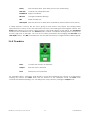
Rev (Reverb)
Sets the speed of the tremolo.
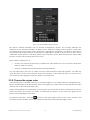
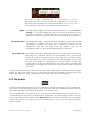
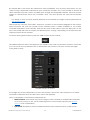
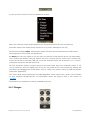
New to VOX Continental V is the inclusion of a convolution reverb, derived
from the impulse responses of three different spring reverb models: the
Spring King, the RV-1 and the RV-2. Use this parameter to select the one
that best fits the preset you are creating:
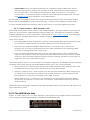
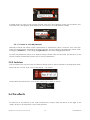
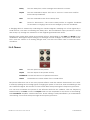
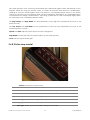
Tuning controls The VOX Continental utilizes “octave divider” circuits to generate the
pitches in each octave. These controls allow you to fine-tune the notes in
the chromatic scale. So if you’d like to create a preset using altered
intonation, for example, these are the controls to use.
ARTURIA VOX Continental V User's Manual
-23-
4 USER INTERFACE