1
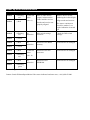
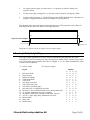
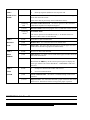
LED 2
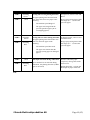
l Red
Too dark/too thick paper
The calibrated paper is too thick or too
dark for the infrared light to beam
through.
Switch the sensor to No Double
mode by pressing the ND key
for more than 2 seconds or
activating the Calibration Input
for more than 2 seconds.
The sensor will only detect
missed sheets, paper jam and
time errors in this mode.
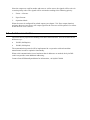
LED 3
l Red
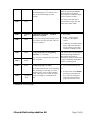
LED 2
YFlashing
Red
Calibration incomplete – extended
calibration required.
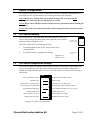
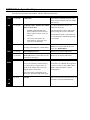
LED 3
l Red
Paper print is complicated and the sensor
must collect more specific data. This can
take up to 4 papers.
1. Press RES.
2. Run 1 – 4 more papers
completely through the
sensor.
3. Calibration is finished when
LED 1 indicates Detection
mode, otherwise press ND
and enter No Double mode.
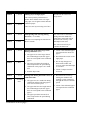
LED 2
l Red
LED 3
m OFF
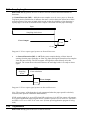
LED 2
m OFF
Total passing time too short.
• Lower the machine speed.
or
YFlashing
Red
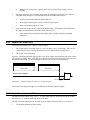
The sensor needs at least 23 ms sampling
time (lead edge to trail edge) to collect
enough opacity values to detect double
sheets. The paper is too short, the paper
speed is too high or a combination of
both.
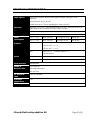
LED 3
Total passing time too long during
calibration (> 5 seconds)
The calibration sampling has lasted more
than 5 seconds.
The sensor does not allow paper
stand-still during calibration.
Recalibrate the sensor by
starting the machine and running
a paper completely through the
sensor at normal speed.
• Set the sensor to No Double
mode by pressing the ND
key. The sensor will then
only detect missed sheets,
paper jam and time errors.
Continued on next page…
©Svensk Elektronikproduktion AB
Page 39(43)