1
6 CELL SETTING
MELSOFT
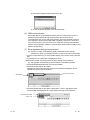
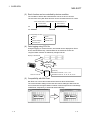
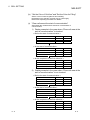
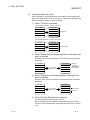
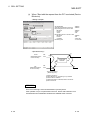
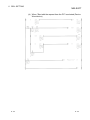
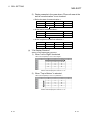
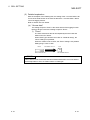
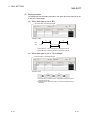
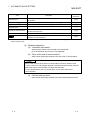
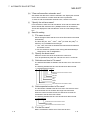
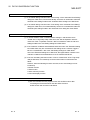
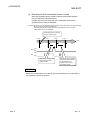
(b) When "Start with the request from the PLC" is selected
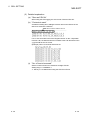
(Device: Word device)
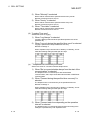
<Setting example>
Set Handshake
: Marked
Start with the request from the PLC : Marked
Responding device on the PC side
Word device
: Marked
Device
: D200
Value
: 1 (left), 0 (right)
Requesting device on the PLC side
Word device
: Marked
Device
: D100
Condition
:=
Value
: 100
Monitoring time
: 10 seconds
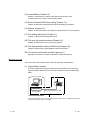
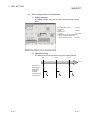
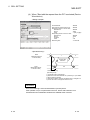
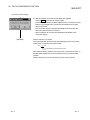
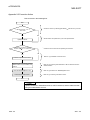
<Operation timing>
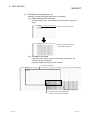
3)
D200
(Responding device
on the PC side)
5)
1
0
2)
Device data
collection
D100
(Requesting device
on the PLC side)
1)
4)
100
Time-out monitoring
(Monitoring time)
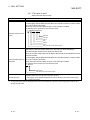
1) When the D100 value reaches 100, processing in 2) is started.
2) Device data is collected.
3) After device data is collected, the D200 value is changed to 1.
4) The D100 value is changed to other than 100.
5) The D200 value is changed to 0.
6 - 27
6 - 27