1
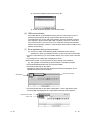
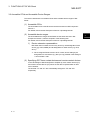
(8) Mouse cursor during communication
While MX Sheet is communicating, the mouse cursor setting of an Excel sheet is
fixed to the one of "Normal Select" in "Mouse Properties".
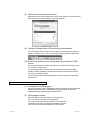
(9) Change to Design Mode of Excel during communication
For Excel during communication, do not change to the Design Mode using the
toolbar or similar means. To do so may disable normal operation of MX Sheet.
(10) Continuous operation when saving data automatically in HTML
format
Do not operate MX Sheet continuously when the Automatic save function is set
to save data in HTML format.
For operating MX Sheet continuously, exit and reactivate Excel periodically.
If data are saved repeatedly in HTML format with the Automatic save function,
Excel may not operate properly.
The time for allowable continuous operation differs according to the operating
environment.
Precautions on use of VBA
(1) Incorporation of VBA program
When incorporating a user-created VBA program into the Excel sheet where MX
Sheet has been set, check the operation of the VBA program first and then
perform MX Sheet programming for the Excel sheet.
(2) VBA program creation
MX Sheet utilizes OLE Automation for communication.
Do not perform the following on VBA programs.
1) Do not execute the DoEvents method in a For-Next loop.
2) FileFilter is ignored in the GetSaveAsFileName method.
3) Do not execute the Reset method in the Excel menu.
A - 11
A - 11